 MDML
Kitchen display
Every order. One kitchen screen.
Kiosk, register, Square POS, online and delivery orders on one iPad, within seconds of the order. Make it, tap it, bump it.
Early access Built and tested in a working café. Runs on your own Square account.
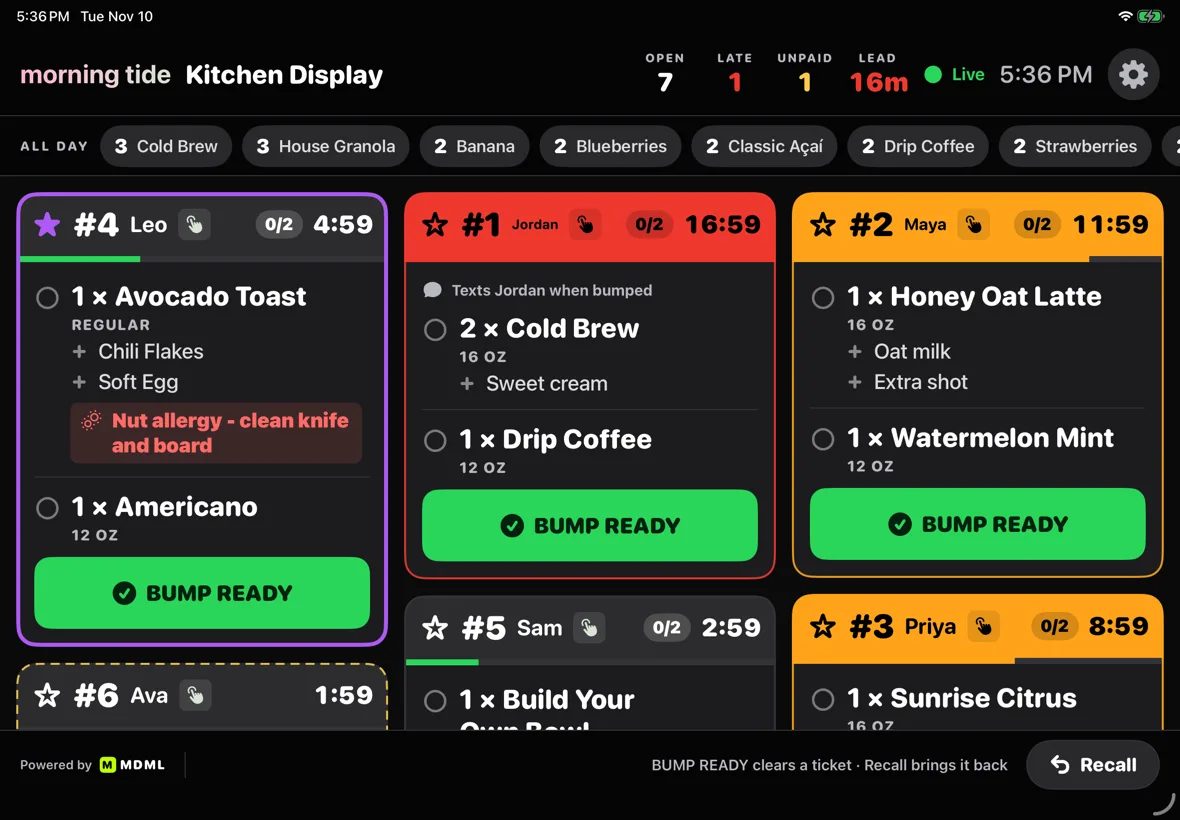
Watch it work
Watch it work. A few seconds each.
1.0 Every channel
Five ways in. One board out.
Each ticket shows where it came from, so nobody hunts through tablets. New orders arrive by live push, with a backup check every 15 seconds.
- KioskSelf-order on iPad.
- RegisterOrders rung up at the counter.
- Square POSOrders from your Square point of sale.
- OnlineOrders from your MDML ordering page, and other online orders that run through your Square account.
- DeliveryDoorDash and other delivery orders, when your Square account already receives them.
2.0 TicketsEarly access
Tickets that tell you what's late.
Every ticket has a timer. It turns amber at 8 minutes and red at 15, so the line cook sees the problem before the guest does.
- Tap items off as you make themWith a done-of-total count on each ticket.
- BUMP READY, doneOne tap clears the ticket and marks the order complete in Square.
- All-day countsHow many of each item and topping are open right now, across the top.
- Open, late and unpaid at a glanceLive counters in the header.
3.0 On the line
Small touches for a busy line.
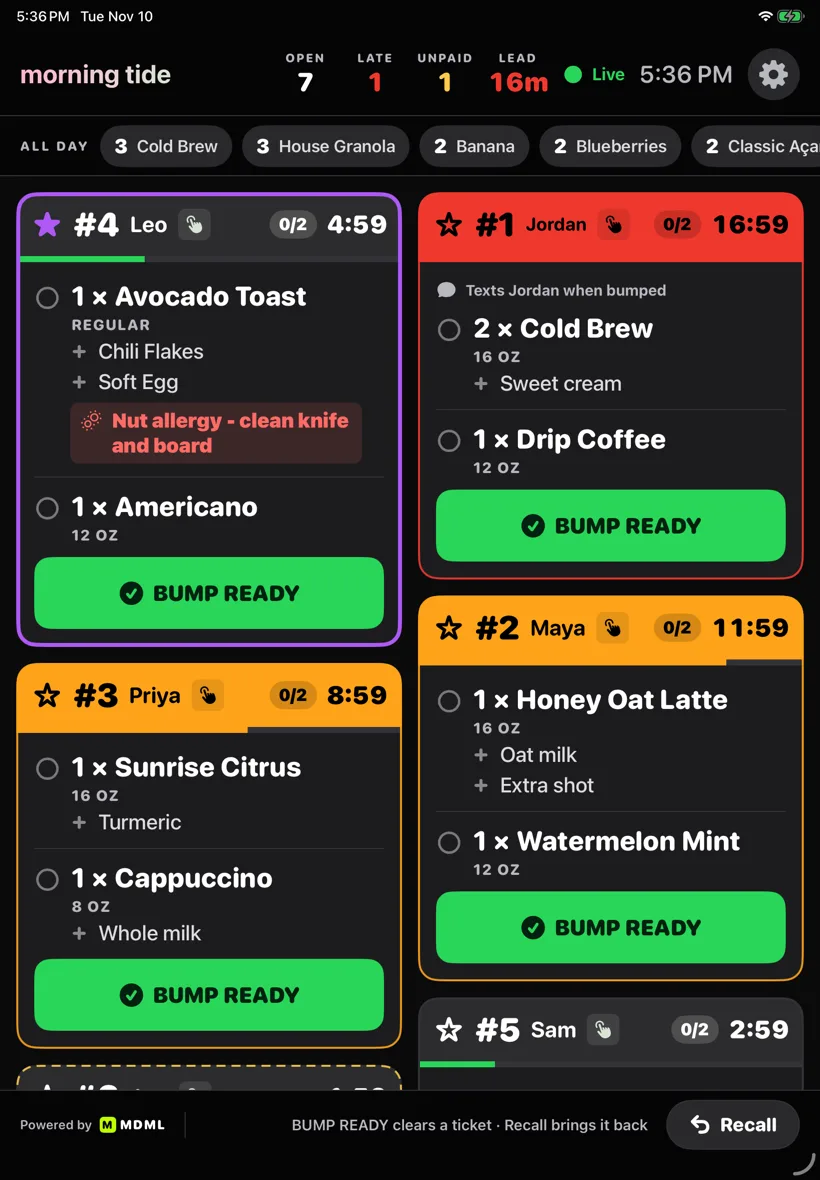
- Star a ticketStarred and oldest tickets sort to the front.
- RecallBring back any of the last 20 cleared tickets.
- Unpaid cash, markedA dashed ticket says “collect cash”; one tap records the payment in Square.
- Allergies in redAllergy notes stand out in red, other notes in yellow.
- A chime for new ordersA soft tick for unpaid ones and a click on bump. Mute any time.
- Upright or sidewaysWorks on an iPad in either orientation.
Start here
Your website, built for you. $1 for 30 days, then $25/mo.
Setup included. Cancel anytime in Billing.
See your new website free- Your site, built from your link
- Hosting and SSL
- An AI designer: edit in plain words, undo anything
- Your domain connected
- Site forms to your inbox
- A free presence report
- Online booking on your site
- A 7-day look at listings and drafted posts
Coming soon
Kitchen display isn't open to new businesses yet.
Leave your email and we'll tell you the day it opens. Your website works today.
Questions
Asked and answered.
- How much will it cost?
- It isn't open to new businesses yet, so there's nothing to buy today. Leave your email and we'll tell you the day it opens, with the price.
- Which orders show up?
- Kiosk, register, Square POS, online and delivery orders that run through your Square account, within seconds of the order. Each ticket shows where it came from.
- How does it show what's late?
- Every ticket has a timer. It turns amber at 8 minutes and red at 15.
- What does bump do?
- One tap clears the ticket and marks the order complete in Square. You can bring back any of the last 20 cleared tickets.
- Which iPad does it need?
- An iPad you already have, upright or sideways, with your own Square account.
Goes with
The rest of the counter.
- Self-order kioskEarly accessSelf-order on iPad, by tapping or by talking.
- RegisterEarly accessCard and cash side by side, with change due worked out.
- Online orderingEarly accessOrders on your own website, from your Square menu.
- InventoryCounts that learn, orders that add up.
- For restaurants and cafésStock, schedules, the kiosk and the kitchen screen.
The real app
The kitchen screen as it runs on iPad, with sample tickets for Morning Tide.
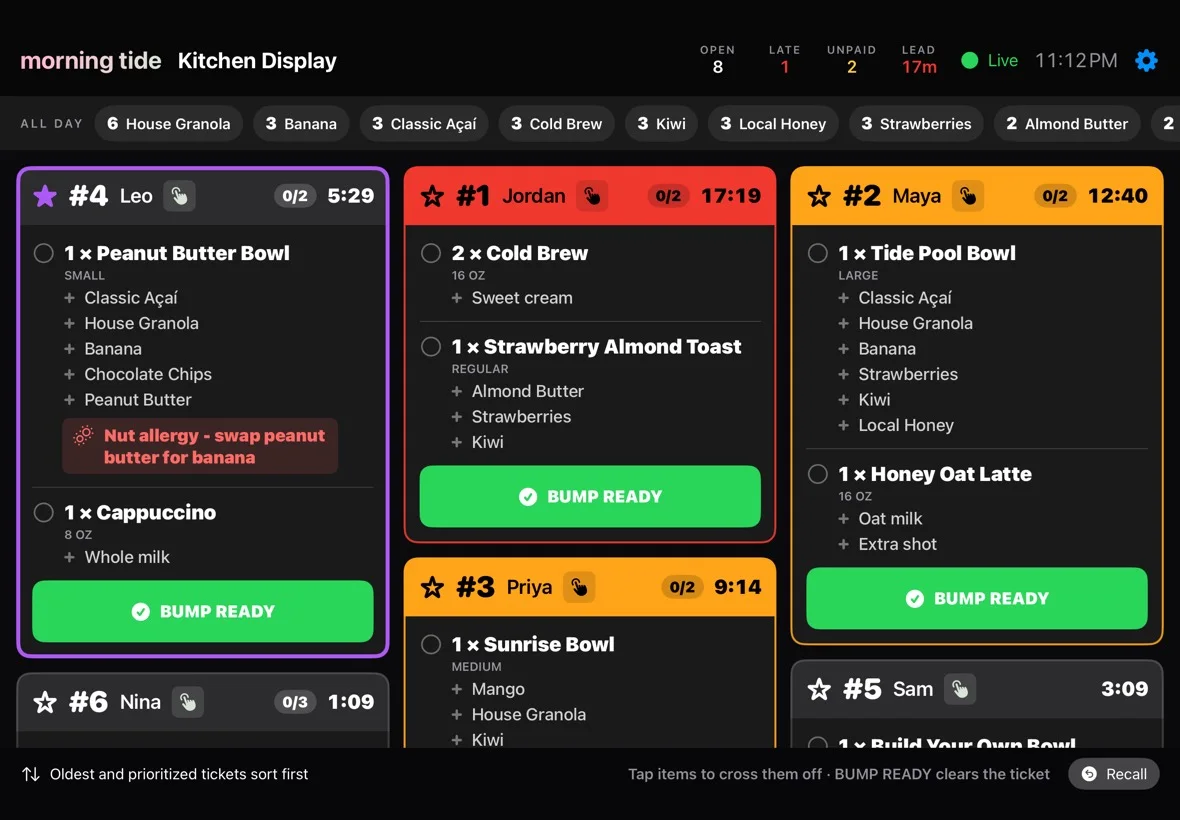
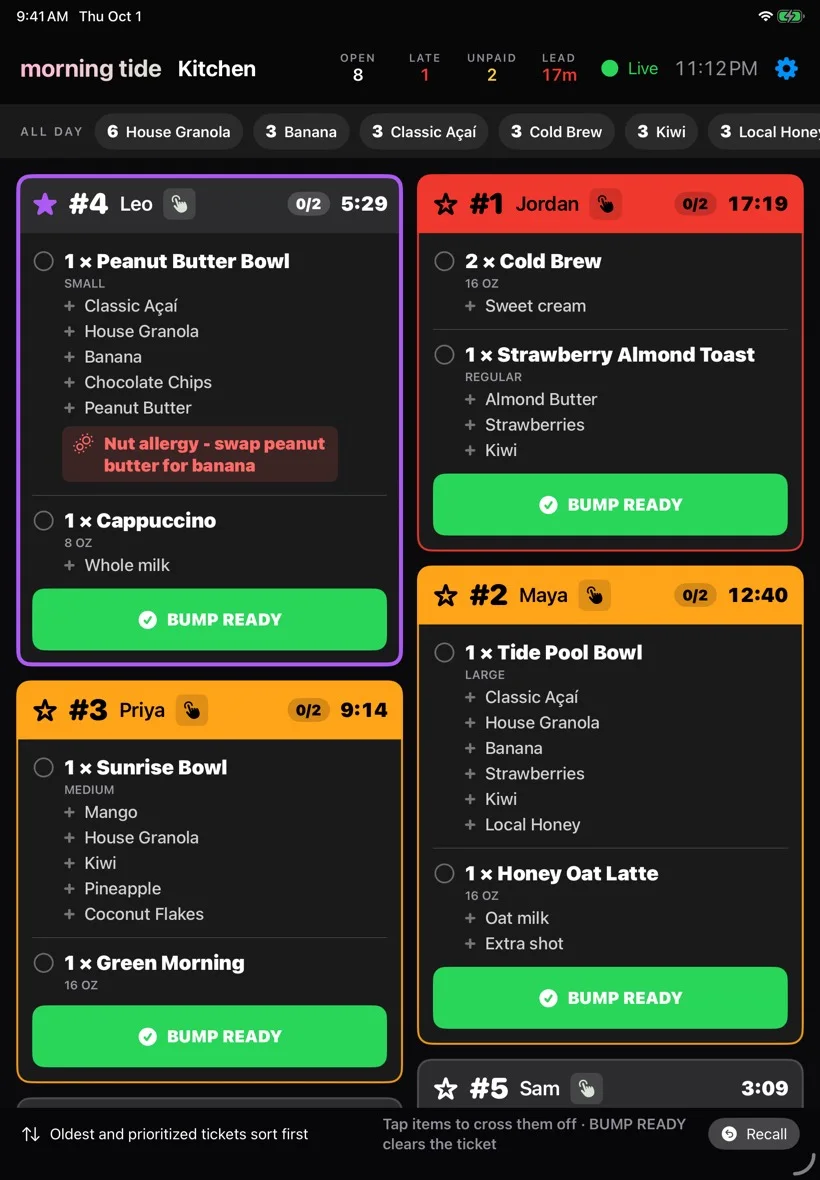
One screen for every order.
Tell us which channels you take orders on. We'll set the kitchen screen up on your Square account with you.