 MDML
MDMLFor retail shops
Who's working Saturday? Now everyone knows.
Schedules from your Square sales, a time clock that checks location, stock counts with order lists, and a website people find.
Free for up to 10 employees. Paid plans add the forecast, Square sync and reports.
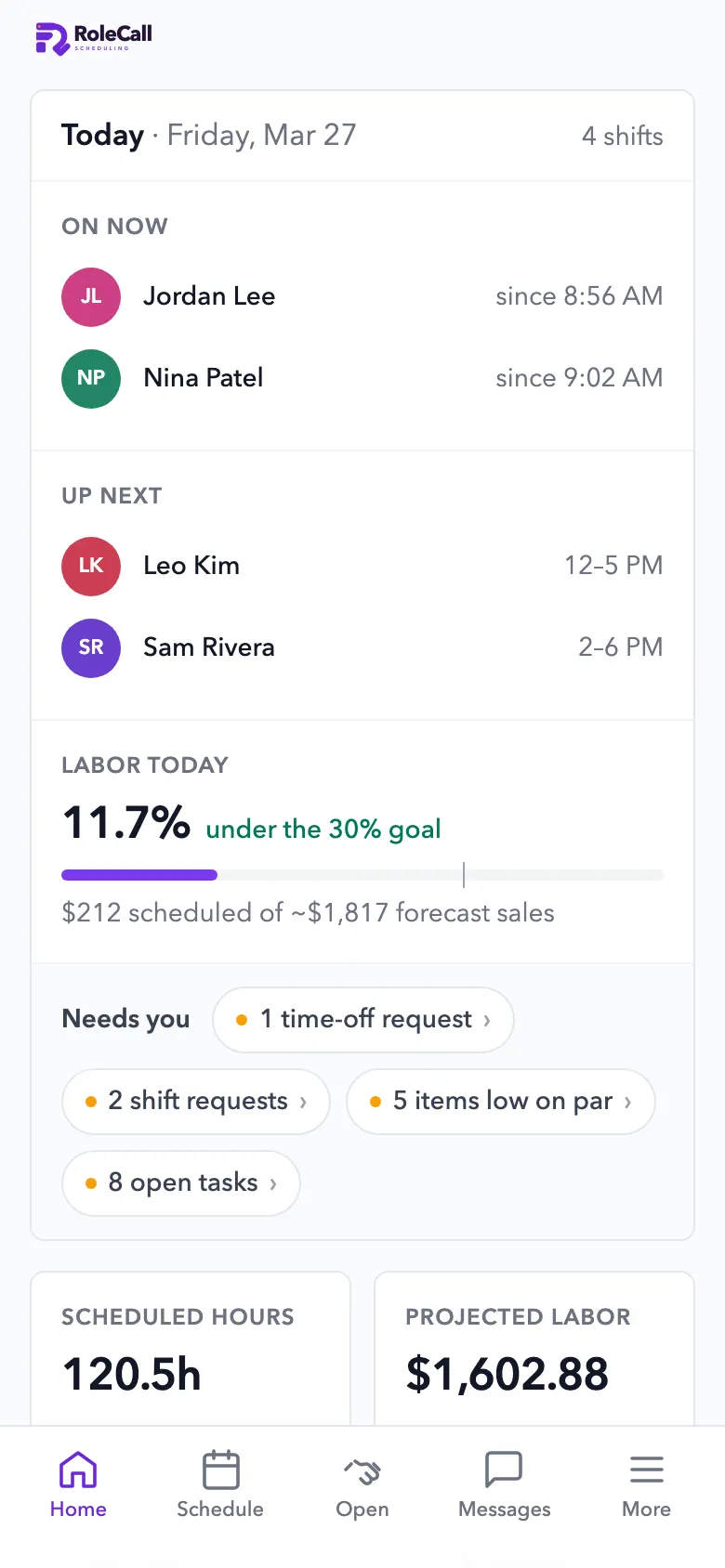
Watch it work
Watch it work. A few seconds each.
1.0 Schedules
Schedules from your sales. Not from memory.
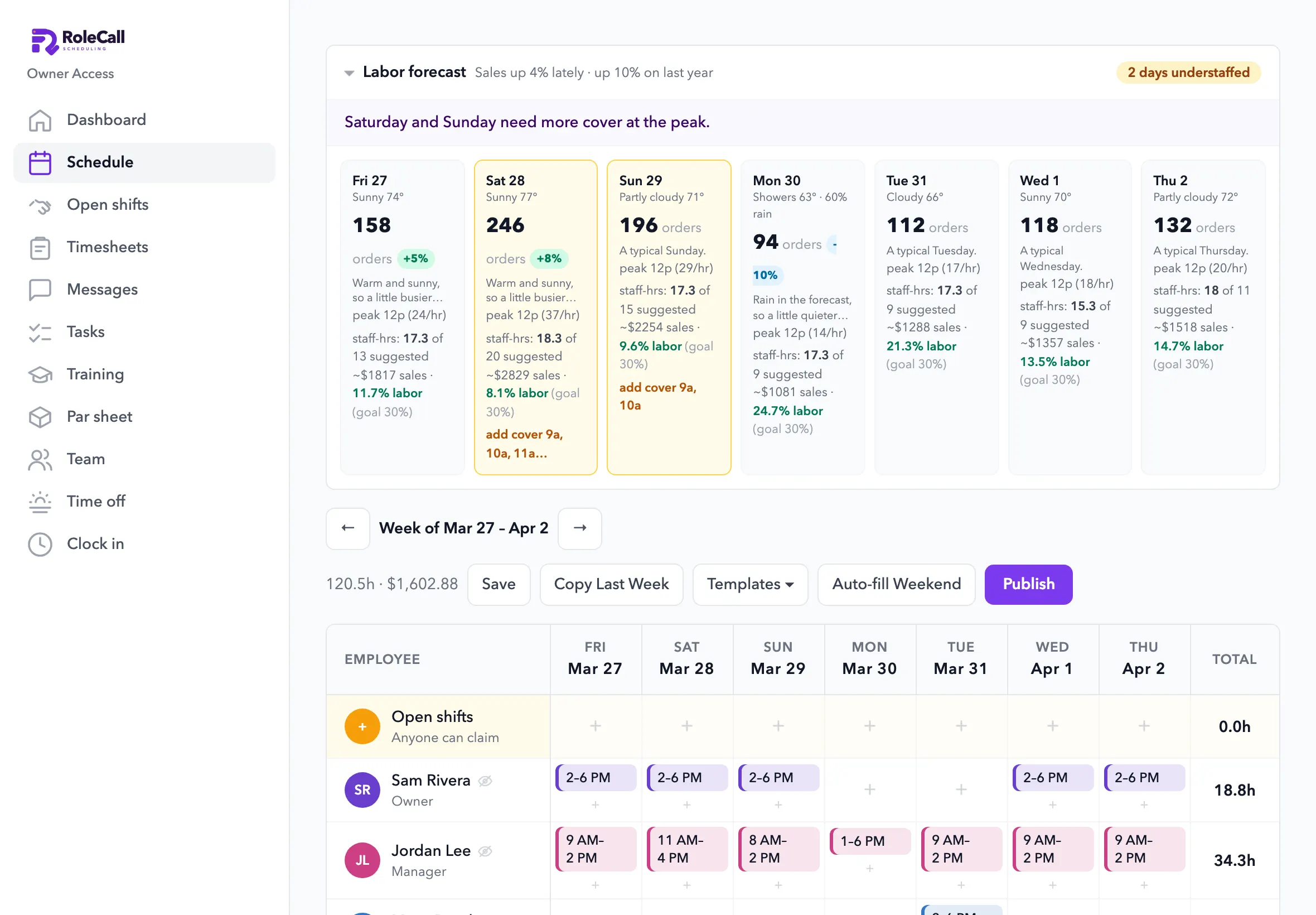
It reads your Square sales by the hour, the season, rain and holidays, and shows which days need more people and what labor will cost.
- Busy days, flagged“2 days understaffed”, with the hours that need cover.
- Labor % against your goalBefore the week goes out.
- The AI drafts the weekFrom availability and time off. A manager publishes it.
- Labor law, checkedEarly accessMinors' hours and meal and rest breaks for your state.
2.0 Time clock
Hours you can trust. Ready for payroll.
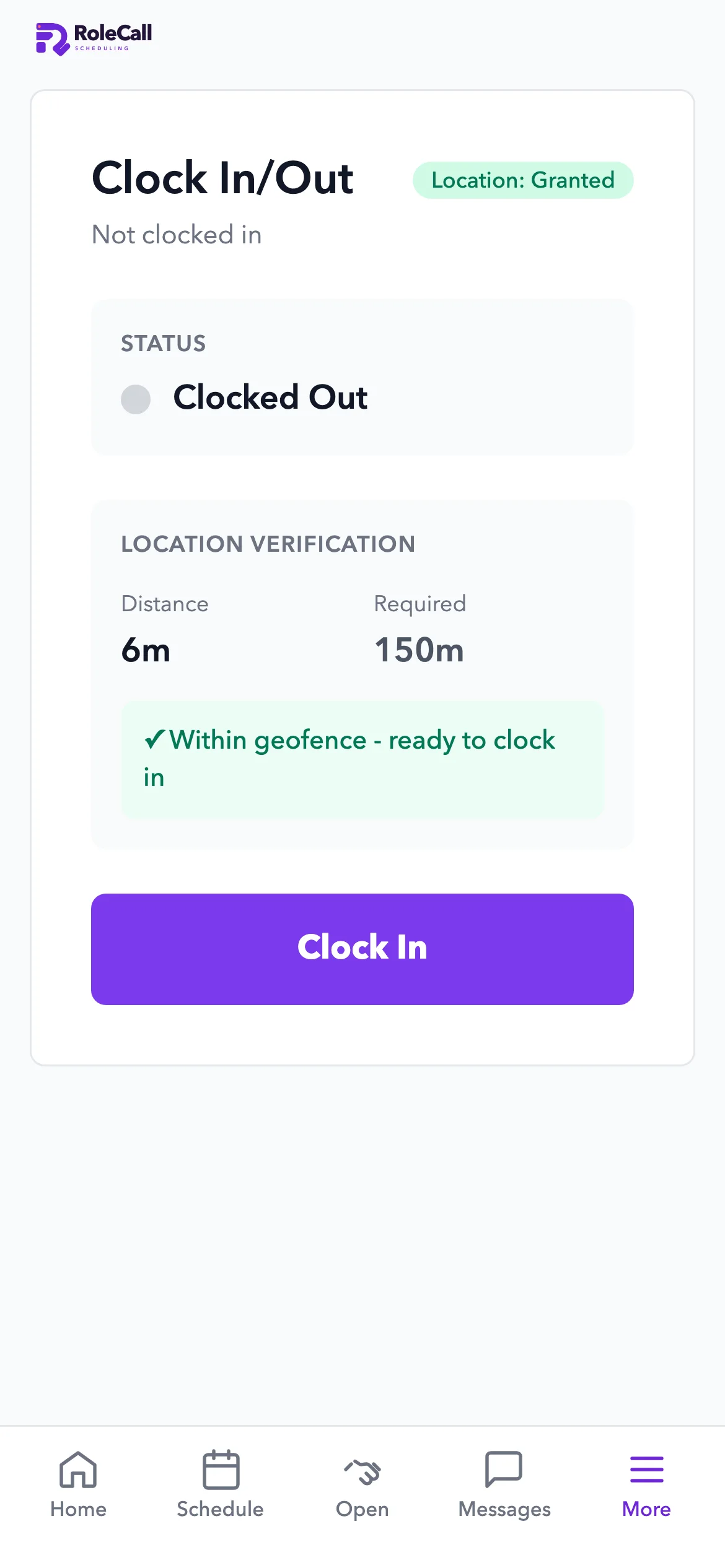
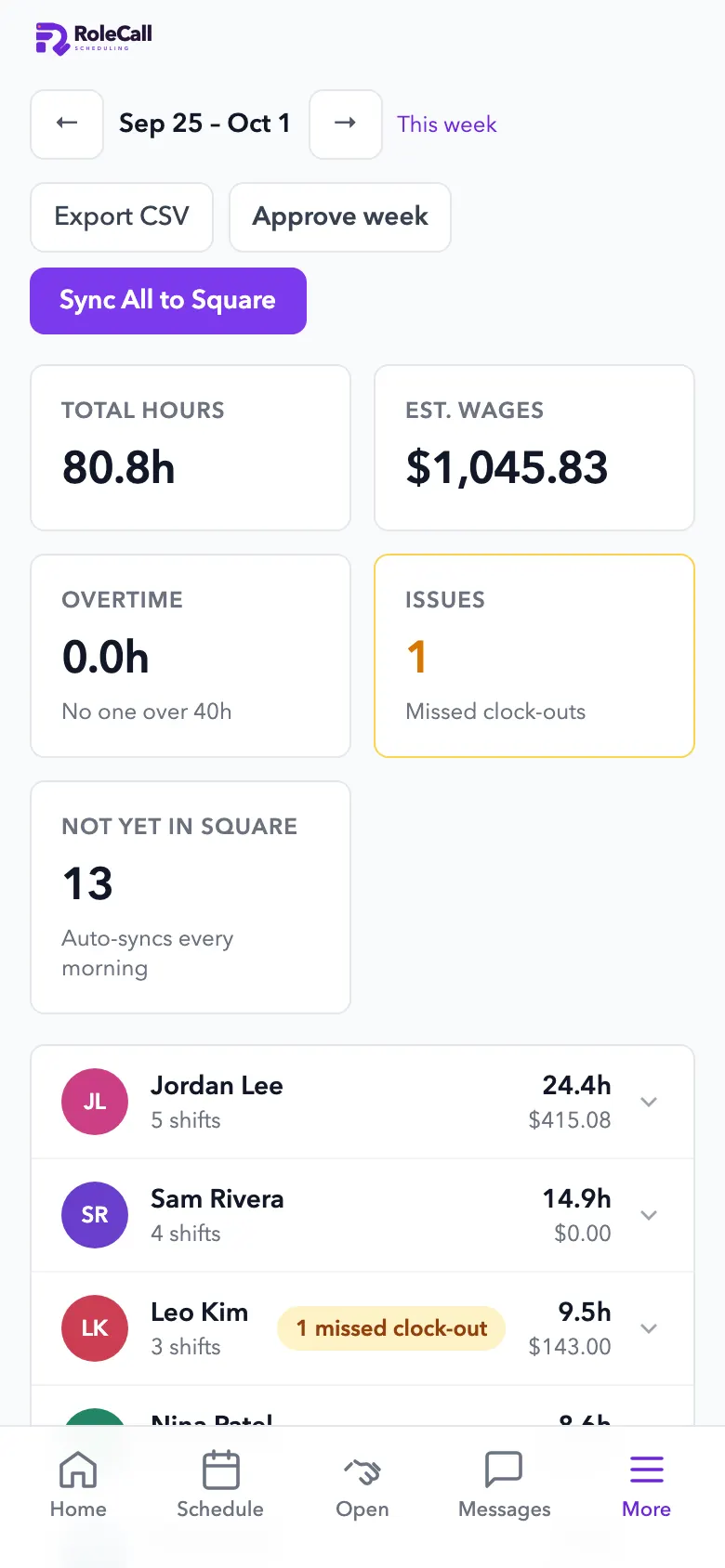
Staff clock in on their phone inside your shop's fence. Overtime is flagged before it happens, and hours go to Square every morning.
- Clock in inside the fenceThe phone checks it's at the shop. Paid and unpaid breaks.
- Overtime, flagged earlyFrom 36 hours, with the cost.
- Missed clock-outs, caughtFix and approve the week in one place, or export a CSV.
- Hours to SquareEvery morning, ready for payroll. RoleCall doesn't run payroll itself.
3.0 Stock
Reorder by the numbers. Not by gut feel.
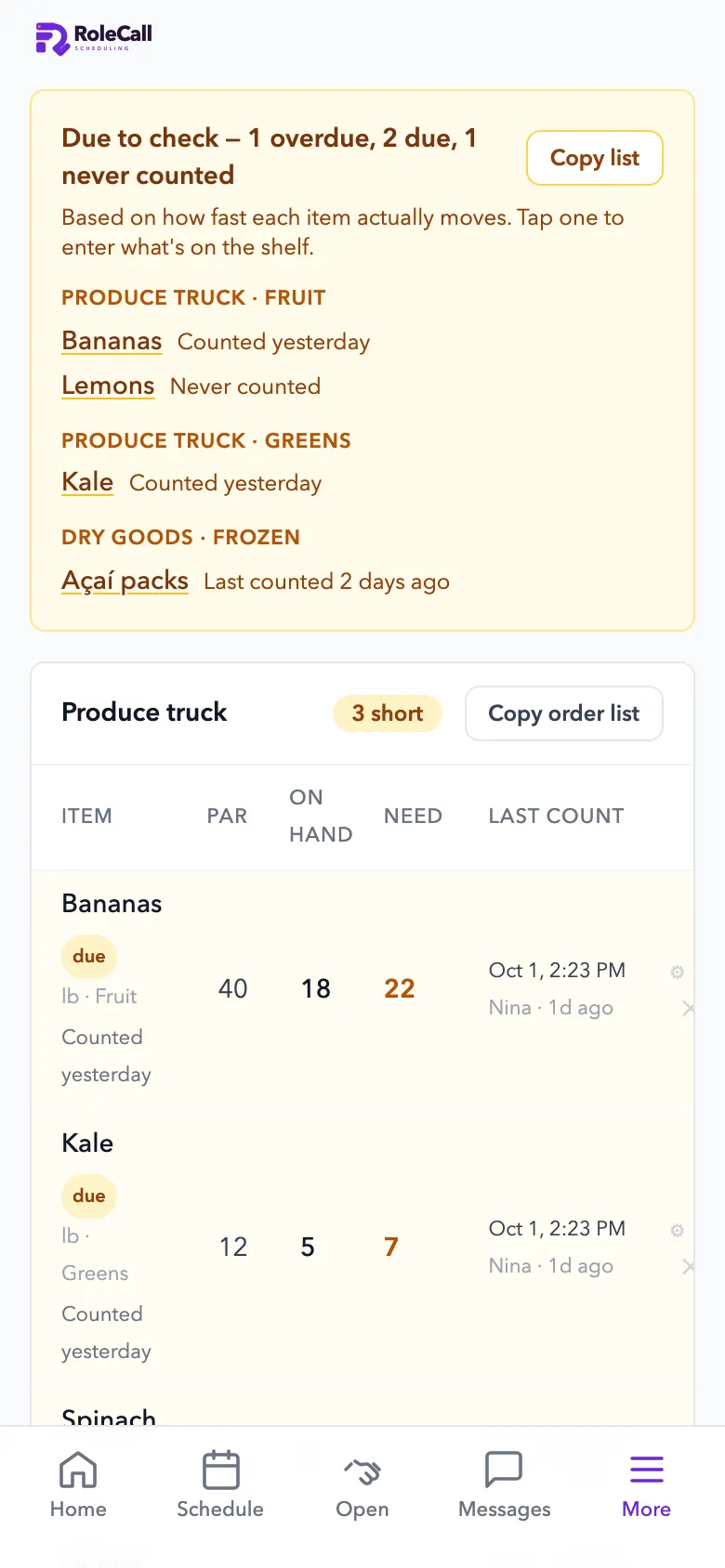
Count by the package, with photos. It says what's due to count and builds the order list from your pars.
- What to count, and whenItems due to count, and a push when something runs low.
- Count by the case or boxWith a photo of each package, so anyone counts it right.
- Order lists by supplierPar, on hand and what to order.
- Learns from your receiptsEarly accessSend in your purchase receipts and it learns how fast each item really moves.
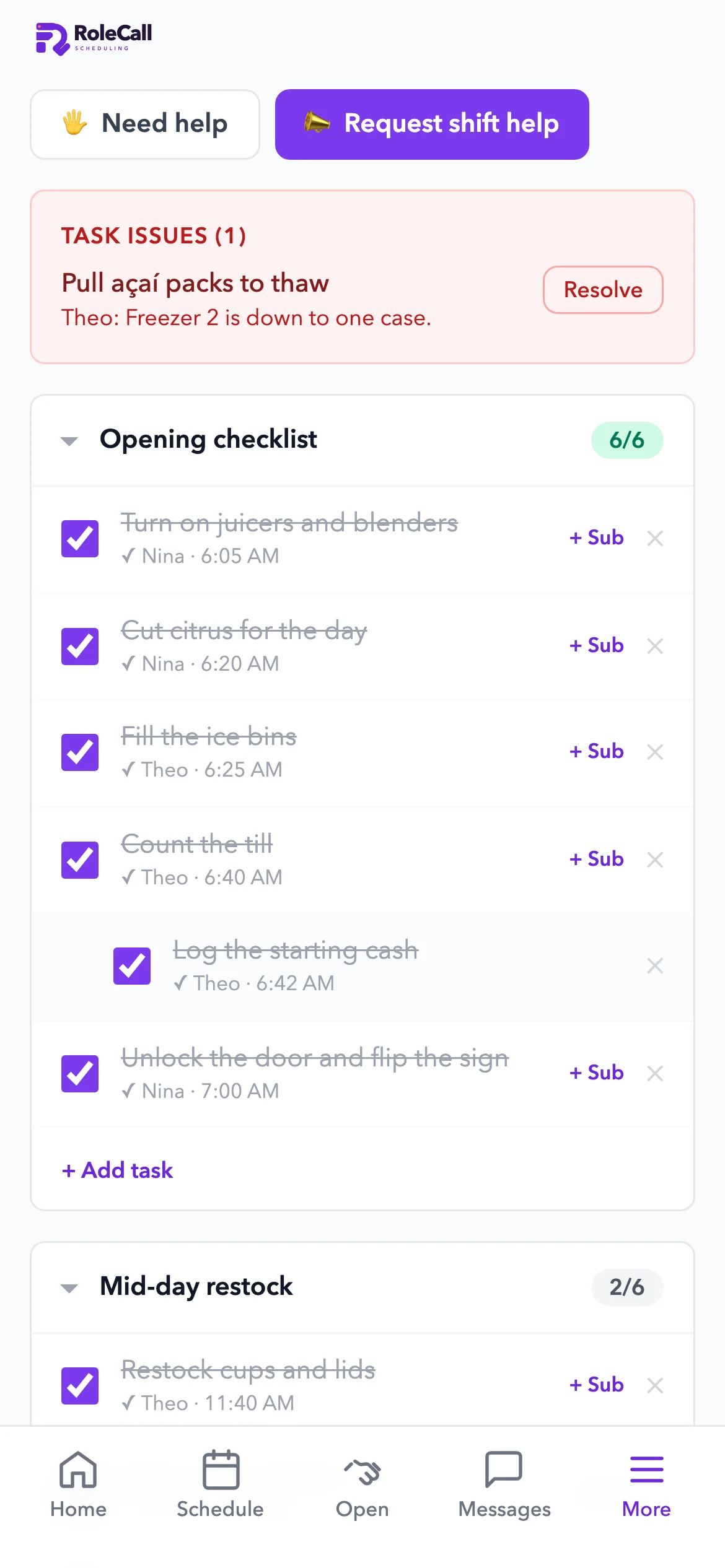
- Opening and closing checklistsWho did what, and when. “Can't complete” pings a manager.
Run it with your voice · Available
Say it. RoleCall does it.
Owners run the business by voice. Staff get a simpler version that only touches their own work.
Staff get a smaller set. Every action runs with the speaker's own login and role, checked on the server: staff touch only their own timecard, and pay stays hidden.
- Things it can do
- 66From drafting the week to clocking in, each one limited to the speaker's role.
- Hands-free
- Web + iPhoneOpen mic, type, or tap to dictate. A call ends after 15 minutes, or 3 quiet minutes.
- Permissions
- On the serverEvery action runs with the speaker's own login, not just a prompt. On the Starter plan and up.
5.0 Get found
Customers who find you. And come back.
A website built from the one you have, a Google listing that's right, and posts from your own product photos. Content studio ideas and captions are ready now.
- A website from the one you havePaste your link and see it rebuilt, in 289 designs. Ask for changes in plain words.
- Posts from your product photosWeekly post ideas and captions in your voice, from your own photos.
- Your Google listing, kept rightEarly accessHours, photos and details checked against your site.
- Reviews from every customerEarly accessAsked of everyone, never filtered by rating. Replies post only when you approve.
Start with Saturday's schedule. Free for a small team.
Open RoleCall, add your team and publish the week. Upgrade for the forecast and Square sync when you want them.