 MDML
MDMLEmployee scheduling · RoleCall
Employee scheduling software that builds the week from your sales.
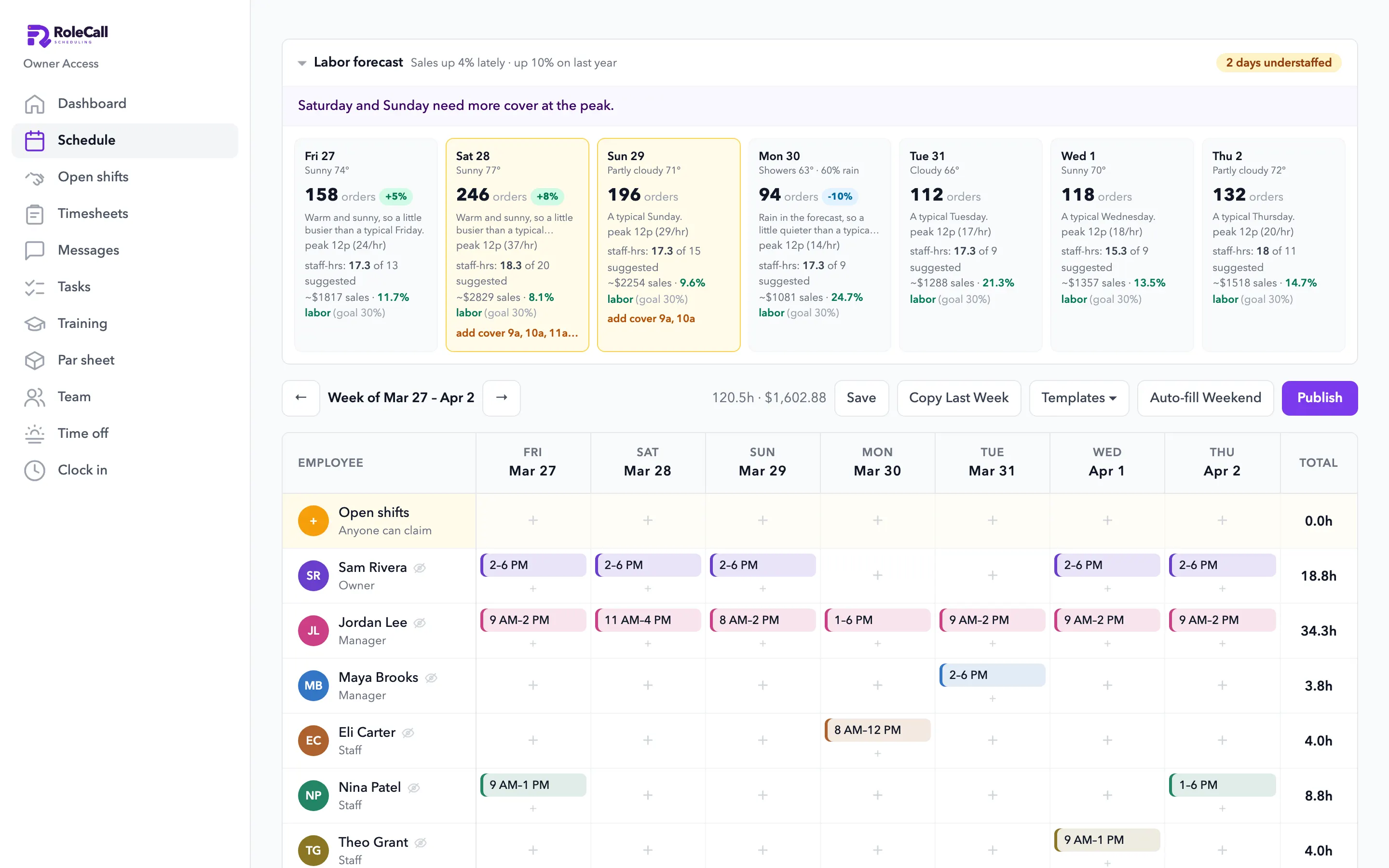
It reads your Square sales, shows which days are short-staffed before you publish, and lays out the shifts. A manager publishes them. On the web and iPhone.
Built inside a working café. The people and shop in these screenshots are a sample.
Price
Employee scheduling on its own, or in Everything.
Available now
Compare every planFree $0Free for up to 5 people: scheduling, the time clock and manual recipe costing, 1 location.
Team $79/ location / moScheduling, time clock, messages and hiring.
Everything $249/ location / moAll 8 parts, Team included. Your first month $49.
Bought one by one, all 8 parts cost $578 a month for a restaurant or shop. Everything is $249.
Watch it work
Watch it work. A few seconds each.
1.0 The forecast
Schedules from a forecast. Not from a hunch.
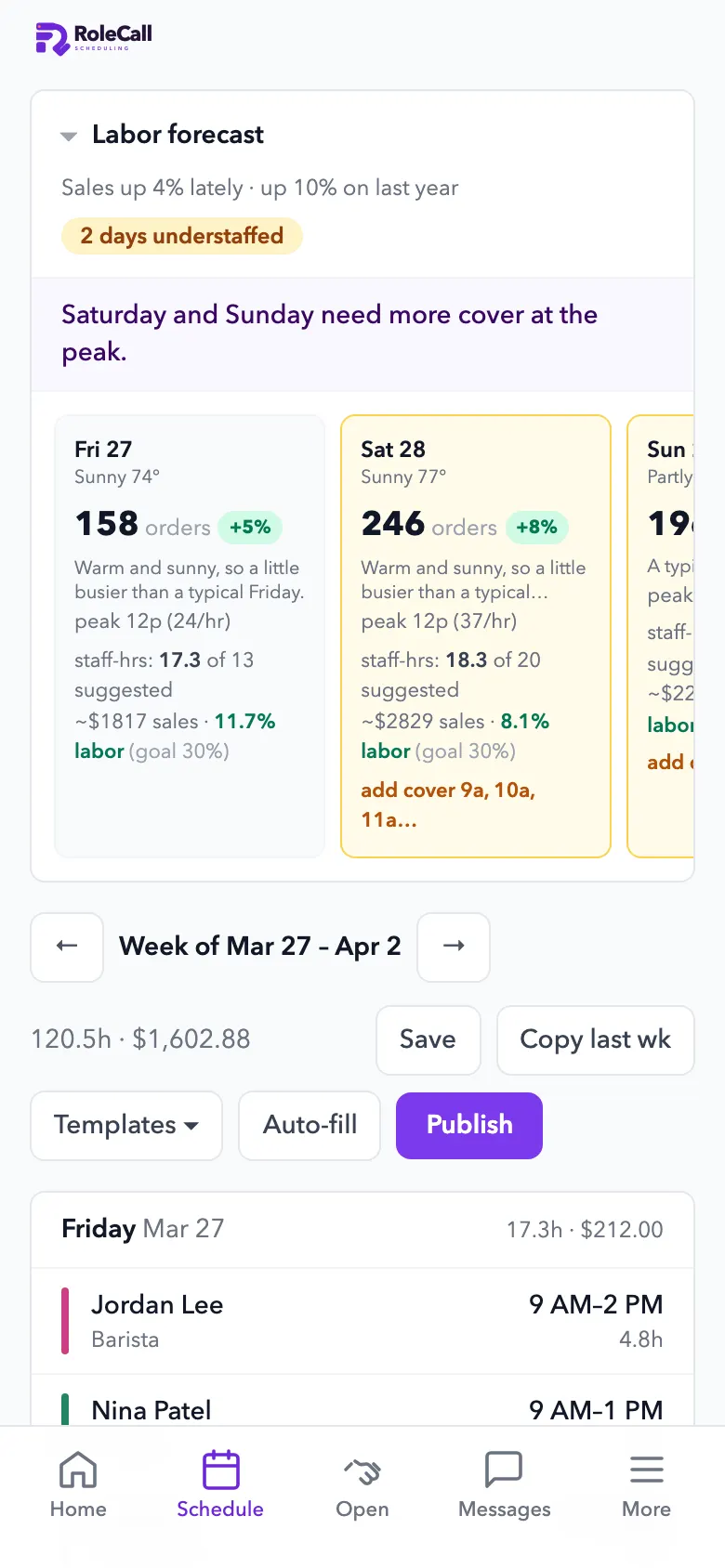
It reads your Square sales and tells you which days are short-staffed, before you publish.
- A forecast for every dayOrders by the hour from your own sales, the season, the recent trend, rain, holidays and local events you add.
- Understaffed days, flagged“2 days understaffed”, with the hours that need more cover.
- Labor cost against your goalLabor % per day against the goal you set, before the week goes out.
- The AI builds the weekIt lays out the shifts from demand, picks who works from availability and time off, and re-checks labor law. A manager publishes it.
- The usual, done fastTemplates, copy last week, open shifts, and a push to everyone when it's published. You see who has opened it.
- Backtested on
- 21 monthsof a real café's Square sales, January 2025 to September 2026.
- Last fall
- 28% → 5%How far the forecast ran low in September and October 2025, before and after a fix to how it reads the season.
- Overall bias
- −6.7% → −0.9%Across all 21 months. Any single day can still miss, so a manager always publishes.
2.0 Swaps and time off
Swaps, time off and messages. Out of the group chat.
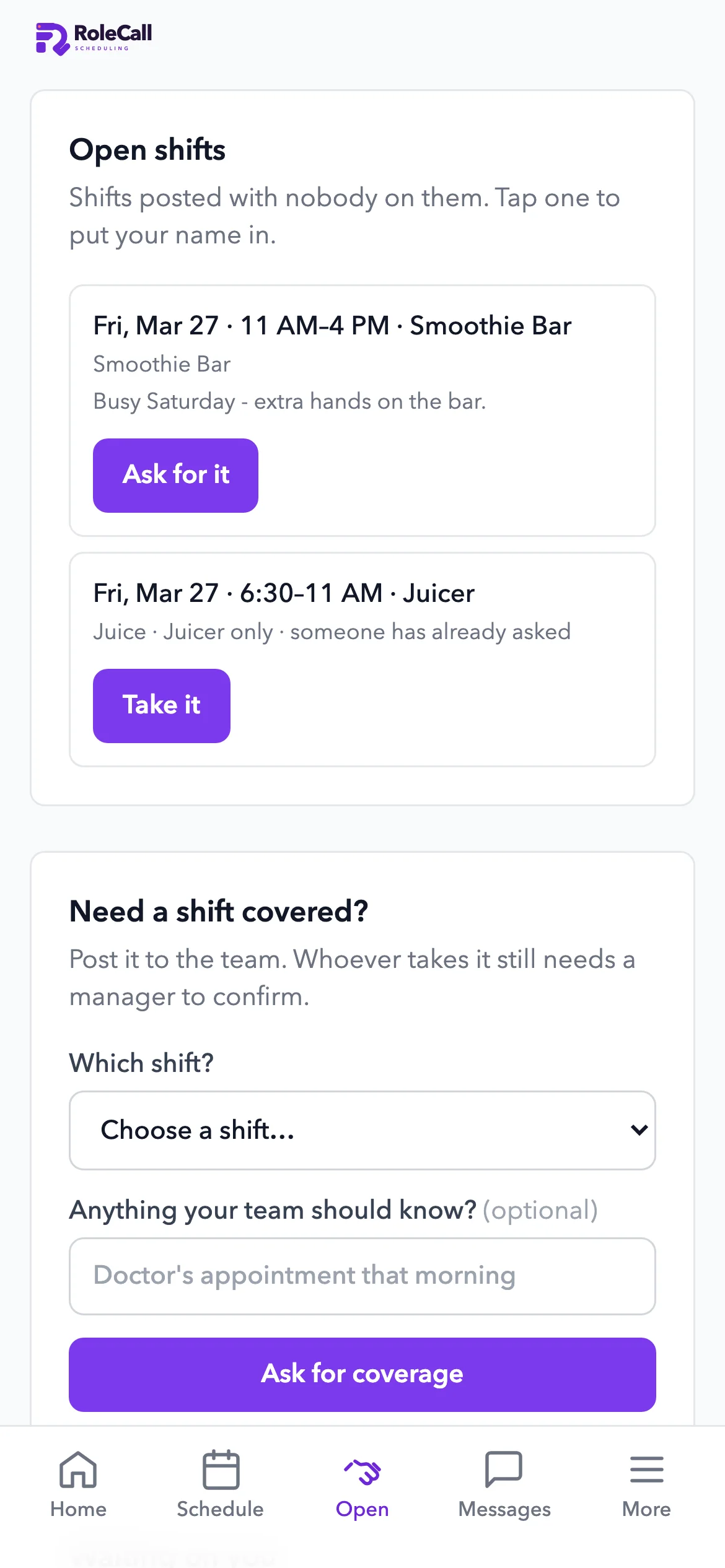
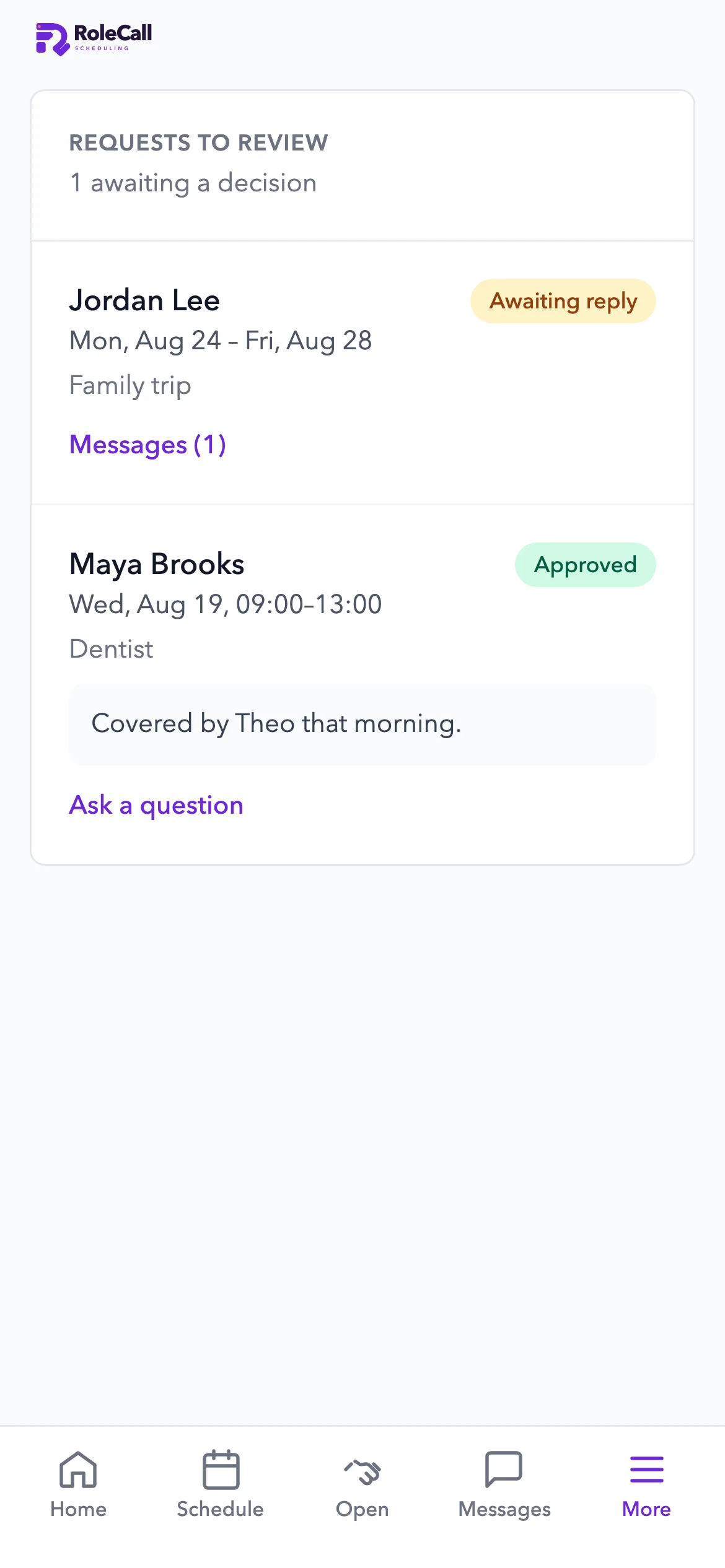
Open shifts, swaps and time off with a decision trail, and team messages that actually reach people.
- Open shifts and swapsStaff claim open shifts or hand theirs off. Approval is up to you.
- Time off with a threadApprove, deny or ask a question. Approved days show up when you build the schedule.
- Team messagesAnnouncements with @mentions and a push to every phone.
3.0 Built for the rules
Labor law and roles. Checked as you go.
- Labor law, all 50 statesEarly accessMinors' hours, school-day limits, start and end times, and meal and rest breaks, checked as you build the week and again on every AI-built week.
- Roles that fitOwner, manager and staff each see what their job needs. Staff never see anyone else's pay or phone number.
- Push notificationsNew schedules, time-off decisions, swaps, messages and late clock-ins.
Questions
Asked and answered.
- How much does it cost?
- Free for up to 5 people: scheduling, the time clock and manual recipe costing, 1 location. After that, Team is $79 a month per location. Every part of MDML is in Everything for $249 a month per location ($49 your first month).
- Who builds the schedule?
- The AI lays out the shifts from the forecast, each person's availability and approved time off, then re-checks labor law. A manager looks it over and publishes it.
- Where does the forecast come from?
- Your own Square sales by the hour, the season, the recent trend, rain, holidays and the local events you add.
- Can staff swap shifts and ask for time off?
- Yes, from their phone. Staff claim open shifts or hand theirs off, and ask for time off with a thread. You approve each one.
- Does it check labor law?
- It checks minors' hours, school-day limits, start and end times, and meal and rest breaks for all 50 states as you build the week. This part is in early access.
Goes with
The rest of your team's day.
Build next week from your own sales.
Open RoleCall, connect Square and let it show you which days need more cover.