 MDML
MDMLTime clock · RoleCall
A time clock app that checks they're at work.
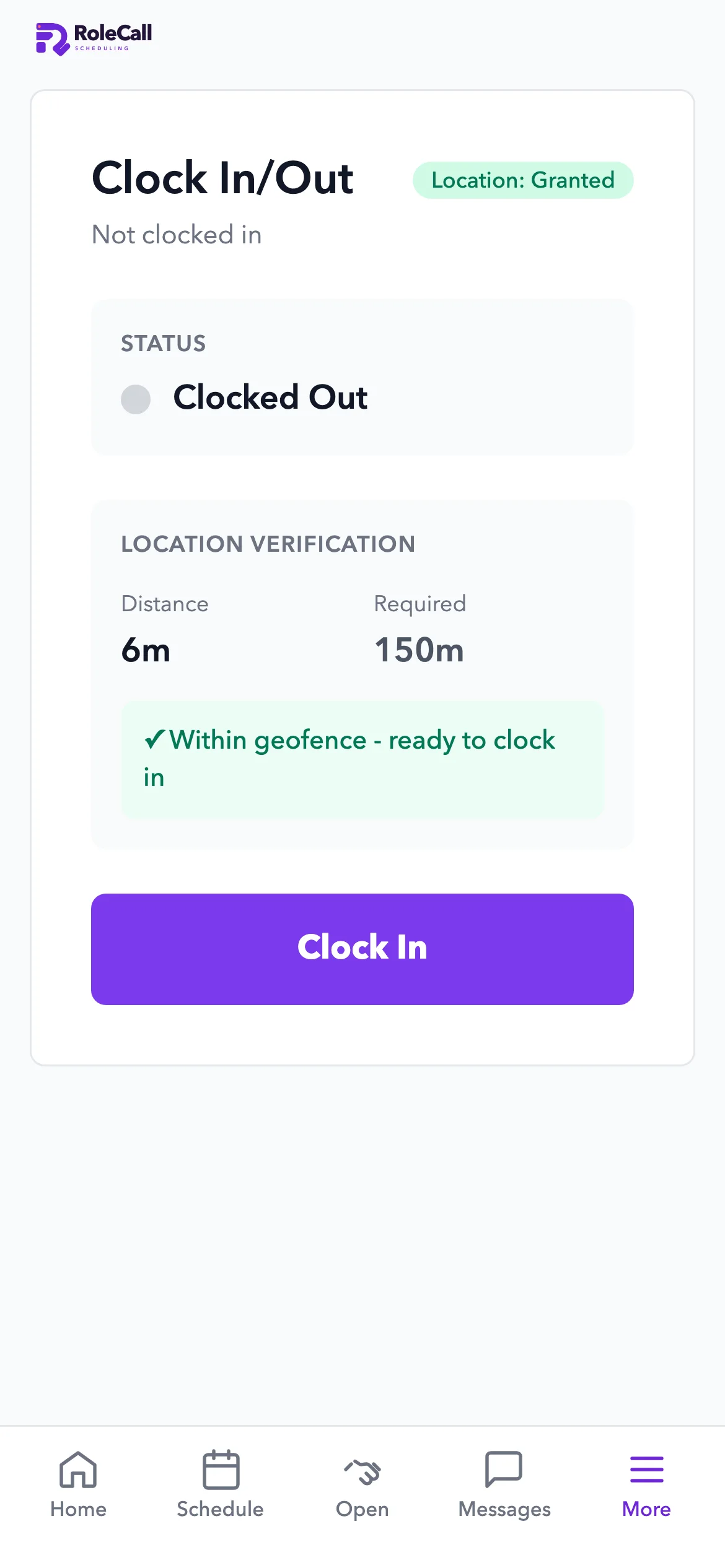
Staff clock in on their phone inside your shop's location fence. Timesheets flag overtime and go to Square every morning, ready for payroll.
Built inside a working café. The people and shop in these screenshots are a sample.
Price
Time clock on its own, or in Everything.
Available now
Compare every planFree $0Free for up to 5 people: scheduling, the time clock and manual recipe costing, 1 location.
Team $79/ location / moScheduling, time clock, messages and hiring.
Everything $249/ location / moAll 8 parts, Team included. Your first month $49.
Bought one by one, all 8 parts cost $578 a month for a restaurant or shop. Everything is $249.
1.0 Clocking in
Inside the fence. On their own phone.
The phone checks how far it is from your shop before anyone clocks in. Paid and unpaid breaks are tracked.
- A location fence you setClock-in checks the phone's distance from the shop against your fence.
- Paid and unpaid breaksBreaks are tracked on the timecard as paid or unpaid.
- Ties to the scheduleClock-ins line up with the shifts you published, so late starts show.
2.0 Timesheets
Hours ready for payroll. In Square every morning.
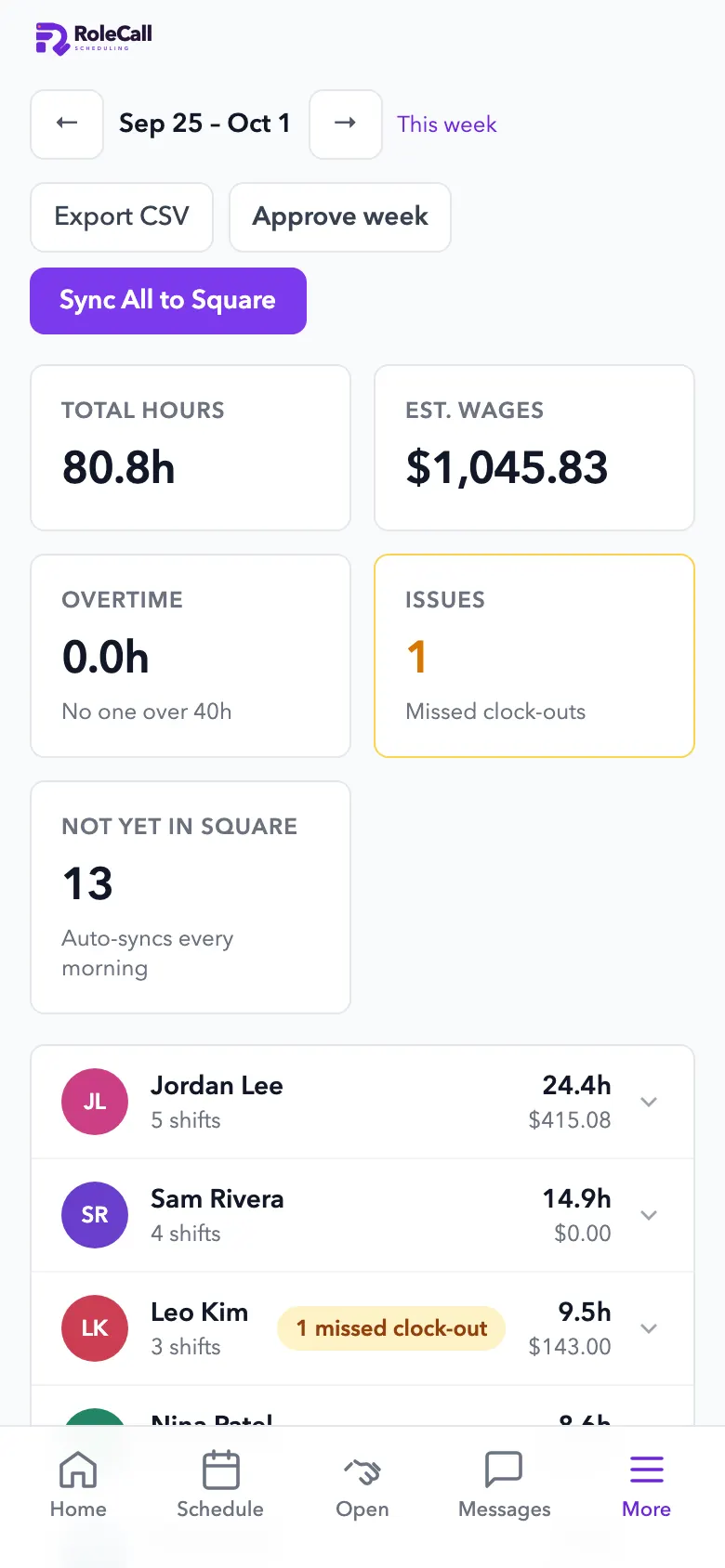
Timesheets show total hours, estimated wages and overtime. Timecards go to Square each day, ready for payroll. RoleCall doesn't run payroll itself.
- Total hours and estimated wagesFor the week, for each person.
- Overtime with its costNear-overtime from 36 hours and overtime past 40.
- Hours to Square, every morningReady for Square payroll.
3.0 Nothing slips
Late, missed and overtime, caught.
- Late and no-show alertsA nudge to the employee a minute late, and an alert to managers at 15 minutes.
- Overtime flagged earlyNear-overtime from 36 hours and overtime past 40, with the cost.
- Approve the weekFix missed clock-outs and approve the week in one place, or export a CSV.
Questions
Asked and answered.
- How much does it cost?
- Free for up to 5 people: scheduling, the time clock and manual recipe costing, 1 location. After that, the time clock is part of Team, $79 a month per location. Every part of MDML is in Everything for $249 a month per location ($49 your first month).
- How does it know someone is at work?
- The phone checks how far it is from your shop, against the fence you set, before anyone clocks in.
- What about breaks and overtime?
- Paid and unpaid breaks are tracked. Near-overtime shows from 36 hours and overtime past 40, with the cost.
- What if someone forgets to clock out?
- Missed clock-outs are caught. Fix and approve the week in one place, or export a CSV.
- Does it run payroll?
- Timecards go to Square every morning, ready for payroll. RoleCall doesn't run payroll itself.
Goes with
The rest of your team's day.
- Employee schedulingSchedules from your sales forecast, with swaps and time off.
- InventoryCounts that learn, orders that add up.
- EverythingEvery part, one price per location.
- For retail shopsSchedules, a time clock and stock counts.
- For restaurants and cafésStock, schedules, the kiosk and the kitchen screen.
Clock in at the shop. Hours ready by morning.
Open RoleCall, set your shop's fence and send your team the app.