 MDML
MDMLKiosk & Register
Order at the kiosk. Pay your way.
A self-order kiosk and a register on iPad, on your own Square menu. Guests build their order by tapping or by talking, and pay by card or phone, or with cash at the counter.
Early access Built and tested in a working café. Runs on your own Square account. Morning Tide is a sample café.
Watch it work
Watch it work. A few seconds each.
1.0 KioskEarly access
Build it. Pay for it. Pick it up.
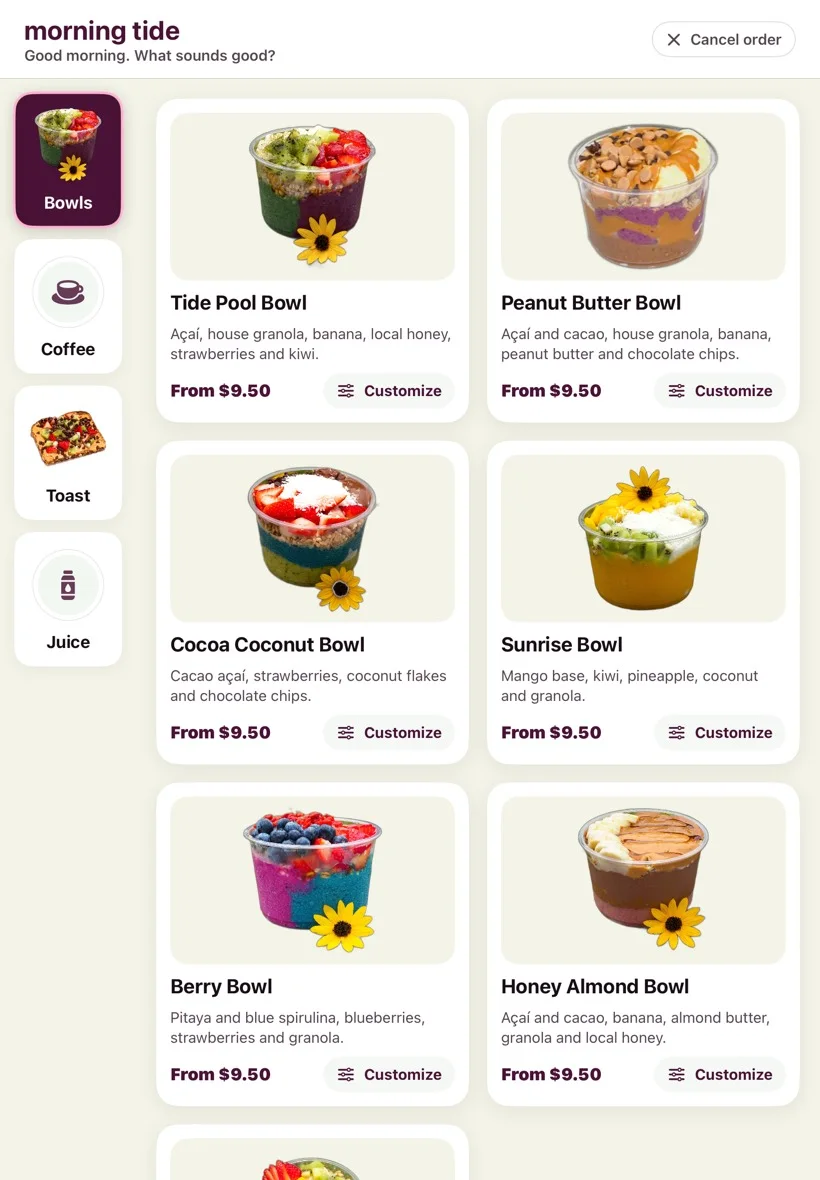
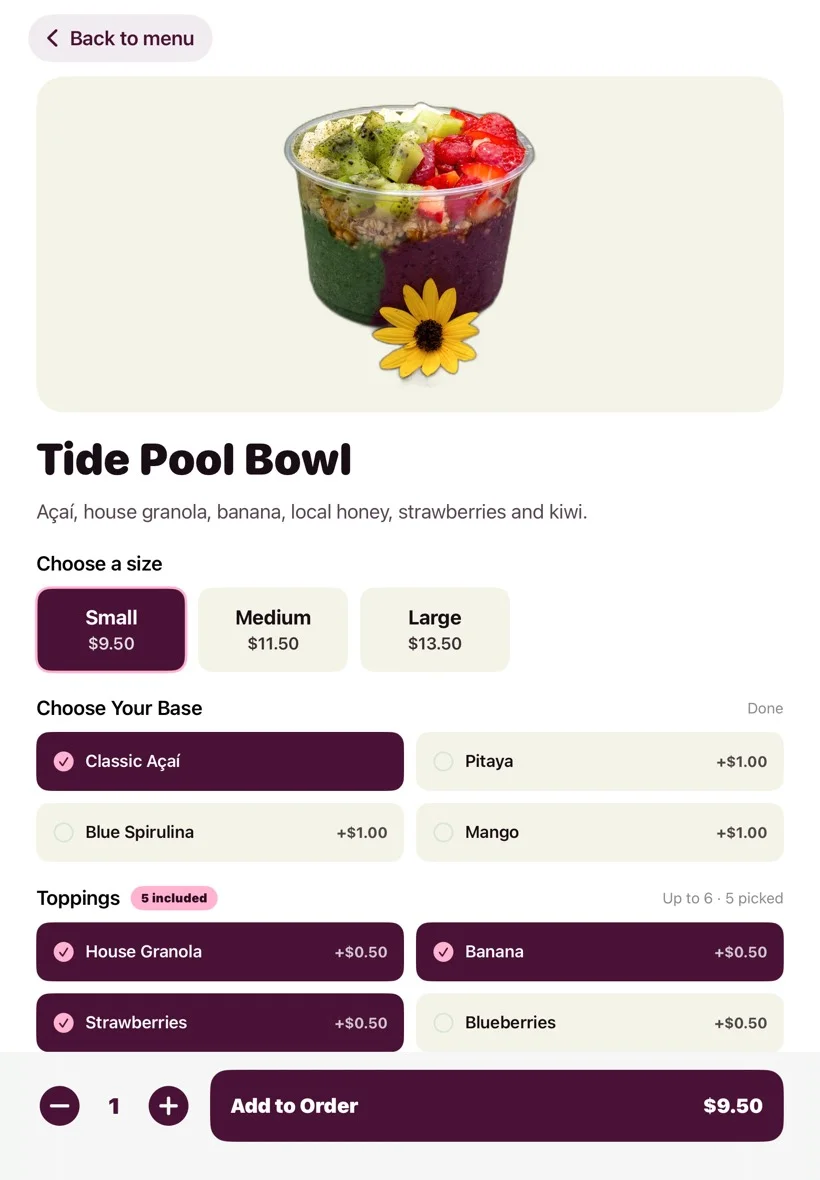
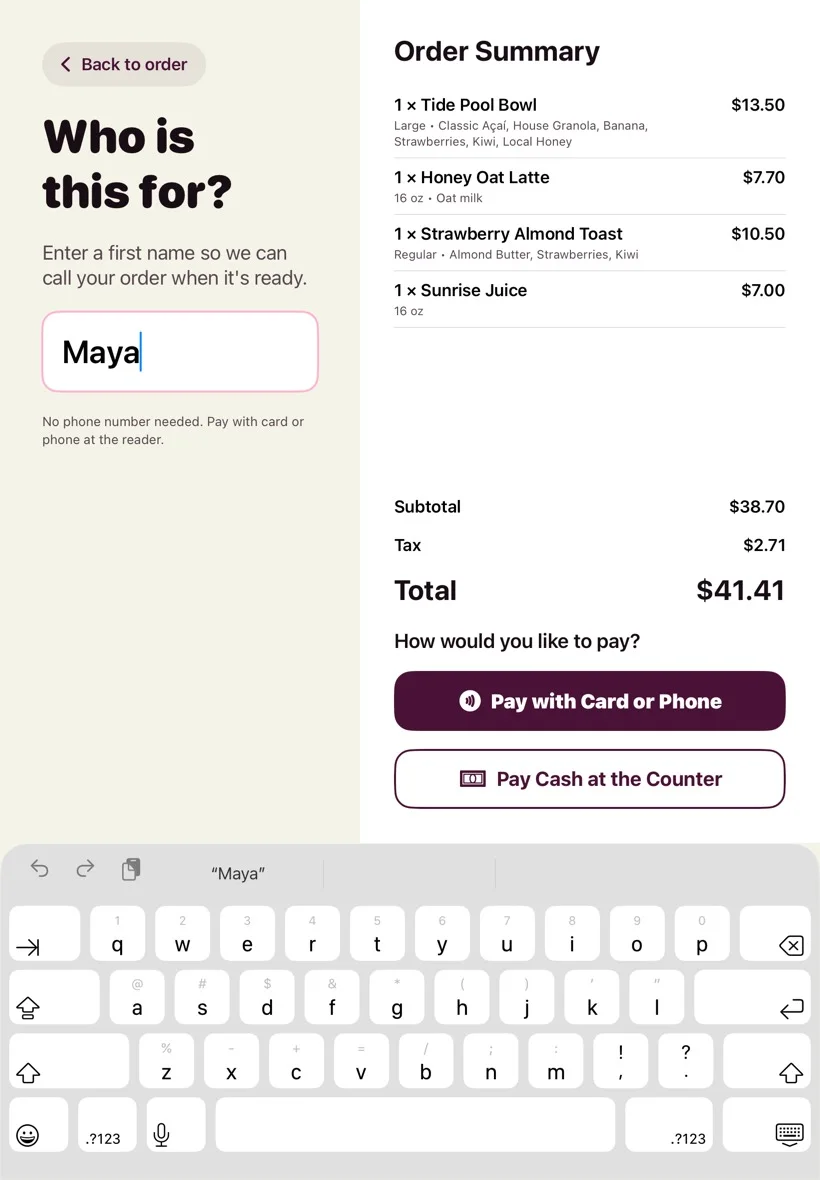
Big photos, clear choices and a live price. Guests type a first name, pay, and get an order number.
- Every choice your menu hasSizes, required picks, “5 included” toppings, priced extras and notes, with a live price.
- A cart they can fixEdit, remove or change quantities without starting over. Square works out the tax.
- First name onlyNo phone number or account needed.
- Tips that fit the order$1, $2 or $3 on small orders, 15, 18 or 20% on bigger ones, or custom.
- Tap, chip or phoneOn a Square reader. Or “Pay cash at the counter”, which sends the ticket to the register.
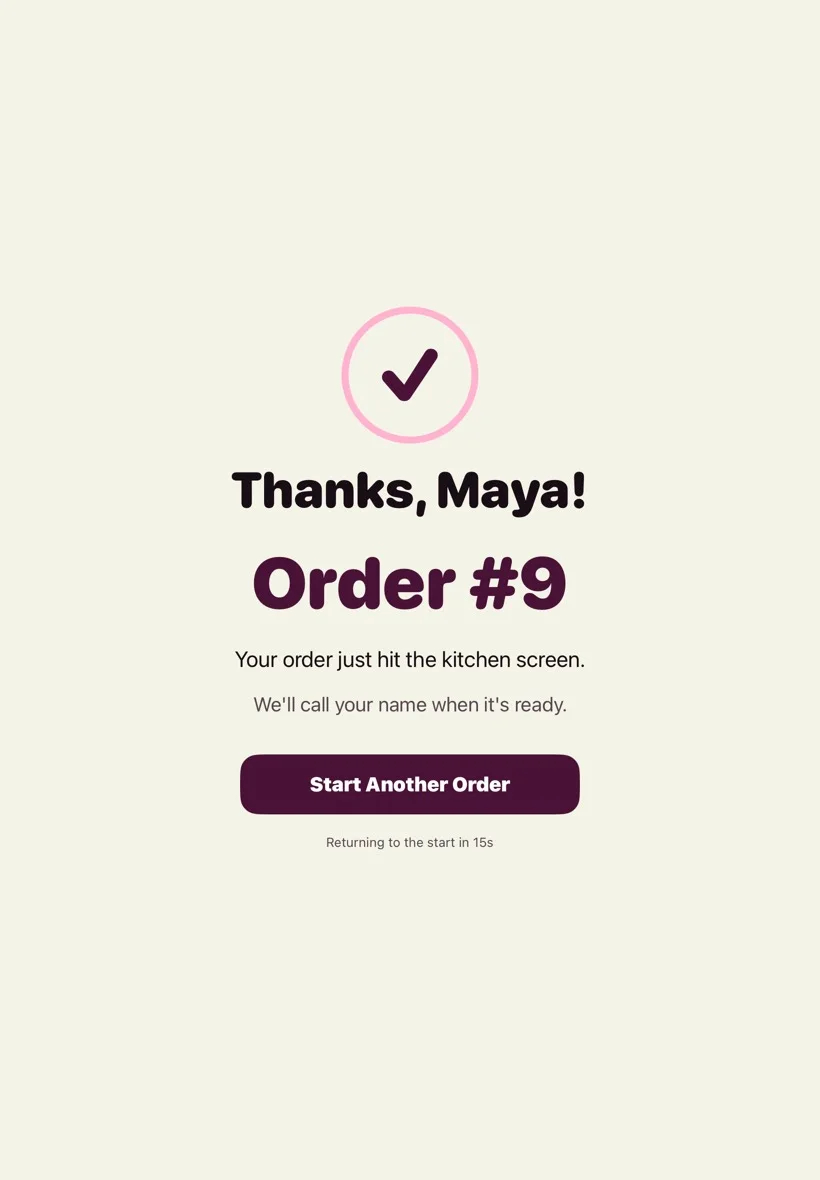
- An order number“Thanks, Maya! Order #9.” Numbers start over every day, and the kiosk resets itself when a guest walks away, never mid-payment.
2.0 Order by voiceEarly access
Say it. It's in the order.
Guests tap Order by voice and talk the way they would at the counter. The kiosk looks things up, builds the order with sizes and choices, reads it back, and takes them to checkout.
- A tap to startThe mic turns on when a guest taps Order by voice.
- Hello on the way inOptional: the kiosk can greet guests as they walk up.
- Sizes, swaps and extrasVoice can look up an item, add it with its size and choices, change it, remove it and read the order back.
- Paid on the readerVoice starts checkout. Paying is still tap, chip or phone on the Square reader.
- In your app tooYour ordering app's AI Help tab has a live voice call with the same cart tools. Guests tap checkout.
- Part of the planVoice ordering is switched on with the plan and metered by AI use.



3.0 RegisterEarly access
Card and cash, side by side.
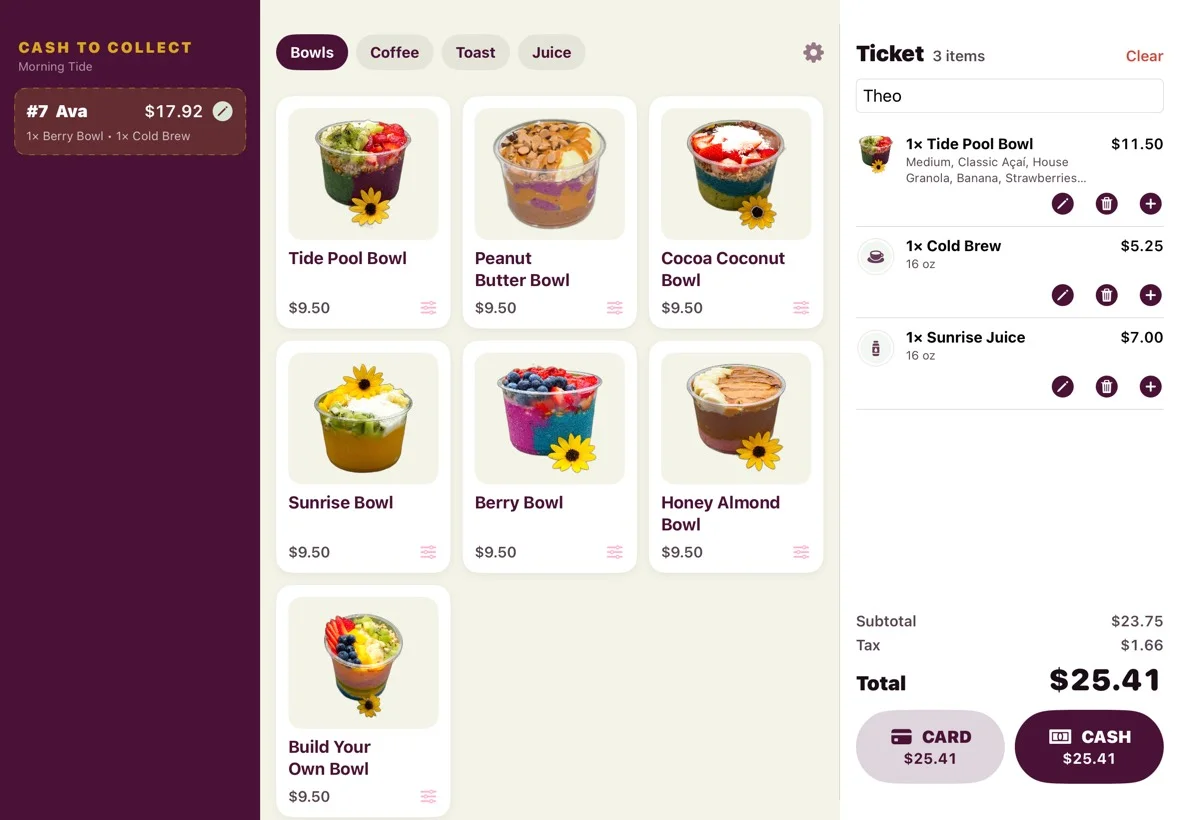
The same item builder at the counter, with card and cash buttons next to each other and the change worked out for you.
- Card or cash, one tapEach button shows the amount. Card runs on a paired Square reader.
- Change due, doneSuggested bills or the amount handed over, then a big CHANGE DUE screen.
- Cash to collectKiosk orders paid with cash wait here until staff take the money.
4.0 One menu
Your Square menu. Your Square account.
Nothing to re-enter. The kiosk, register and kitchen screen all read the same menu.
- Your Square menuItems, photos, sizes and choices come from your Square catalog. Change them in Square and the kiosk follows.
- Sold out, hiddenMark an item, size or choice sold out in Square and guests stop seeing it.
- You stay the merchantPayments go into your own Square account, and payouts go to you.
- Straight to the kitchenPaid orders land on the kitchen screen within seconds.
- Square's terms don't allow unattended kiosks, so someone should be nearby to help.
- The kiosk needs a Square reader for card payments, and an internet connection to check out.
5.0 Pricing
Per location, per month.
The iPads and Square readers are yours. Square's own card fees apply.
Early access Kiosk $99, or the suite with the kitchen screen and register for $109. Opening to a few cafés at a time.
The real app
The kiosk and register as they run on iPad, set up for the sample café Morning Tide.
Shorter lines. Same menu.
Tell us about your counter and your Square setup. We'll set the kiosk and register up with you.