 MDML
MDMLFor restaurants and cafés
Staff it right. Stock it right. Serve it fast.
Schedules from your own sales, stock counts that learn what you really use, and a kiosk and kitchen screen on your Square menu.
Built inside a working café. The free plan covers up to 10 employees.
1.0 Schedules
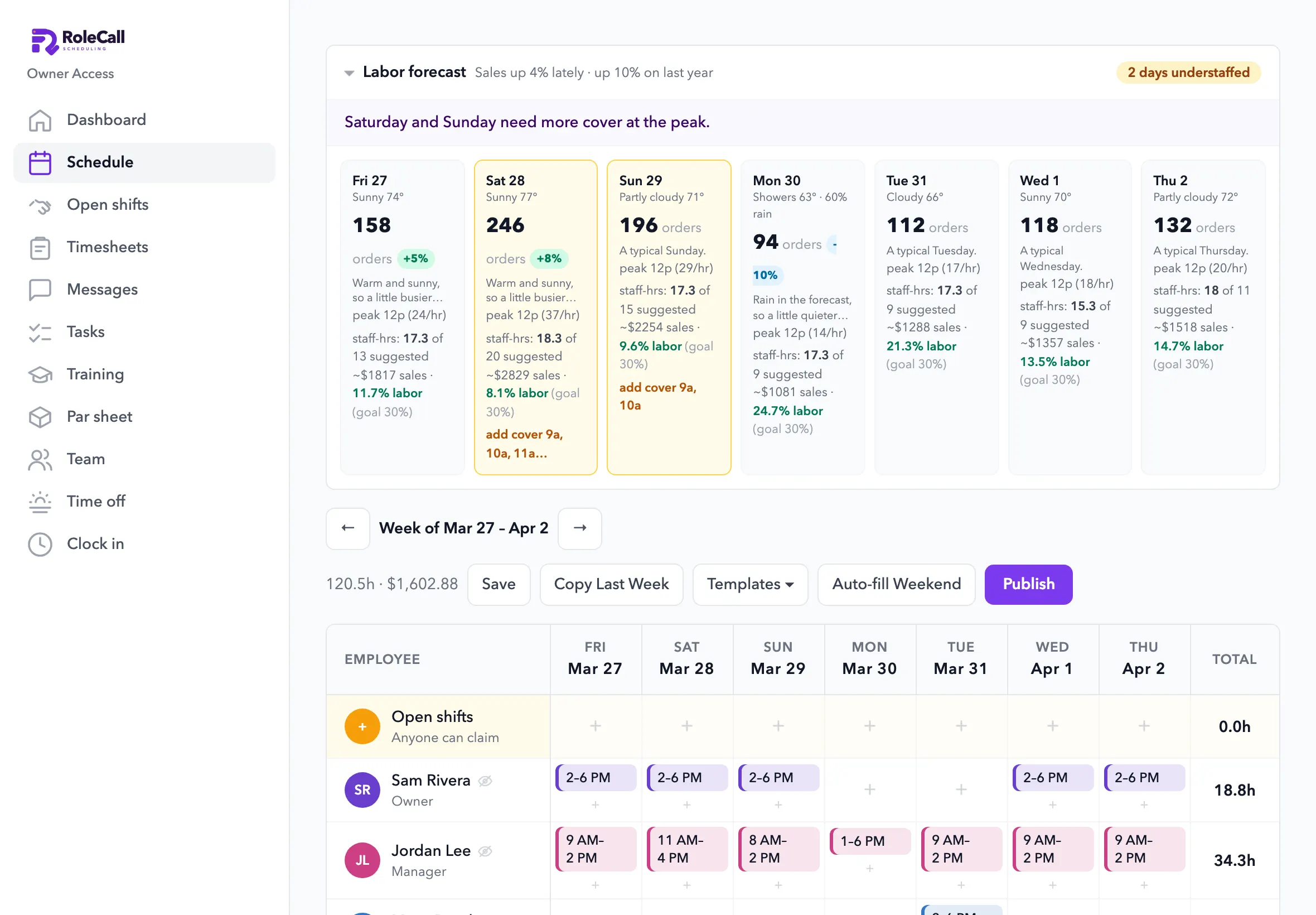
Know which days you're short. Before Saturday.
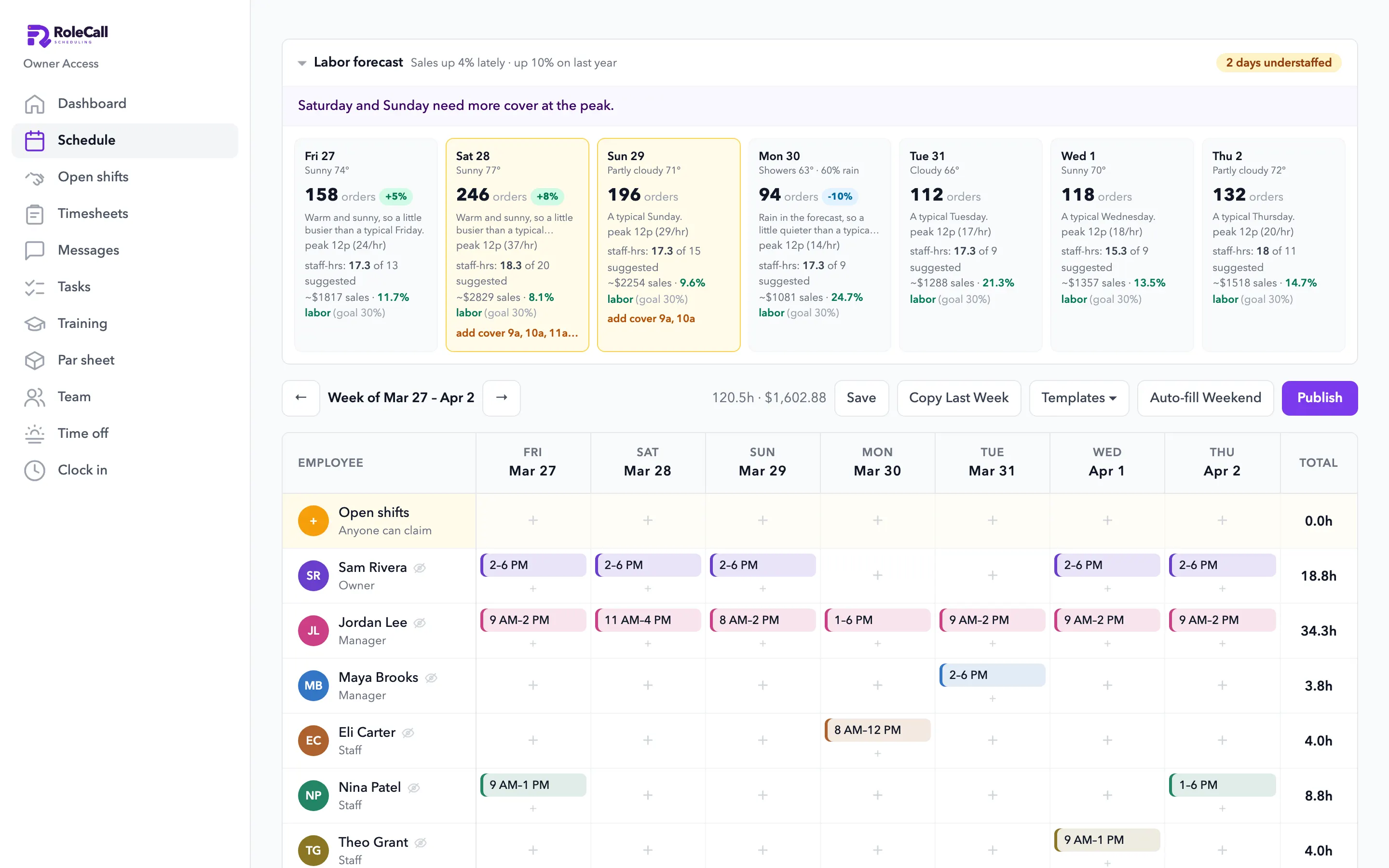
It reads your Square sales, the season, the weather and holidays, and shows the days that need more cover and what labor will cost.
- Orders forecast by the hourFrom your own sales history, the recent trend, rain and holidays.
- “2 days understaffed”With the hours that need more people.
- Labor % against your goalPer day, before you publish.
- The AI builds the weekFrom the forecast, your team's availability and time off, checked against labor law. You publish it.
- Backtested on
- 21 monthsof a real café's Square sales, January 2025 to September 2026.
- Last fall
- 28% → 5%How far the forecast ran low in September and October 2025, before and after the fix.
- Who decides
- You doThe forecast and the AI draft the week. A manager publishes it.
2.0 Inventory
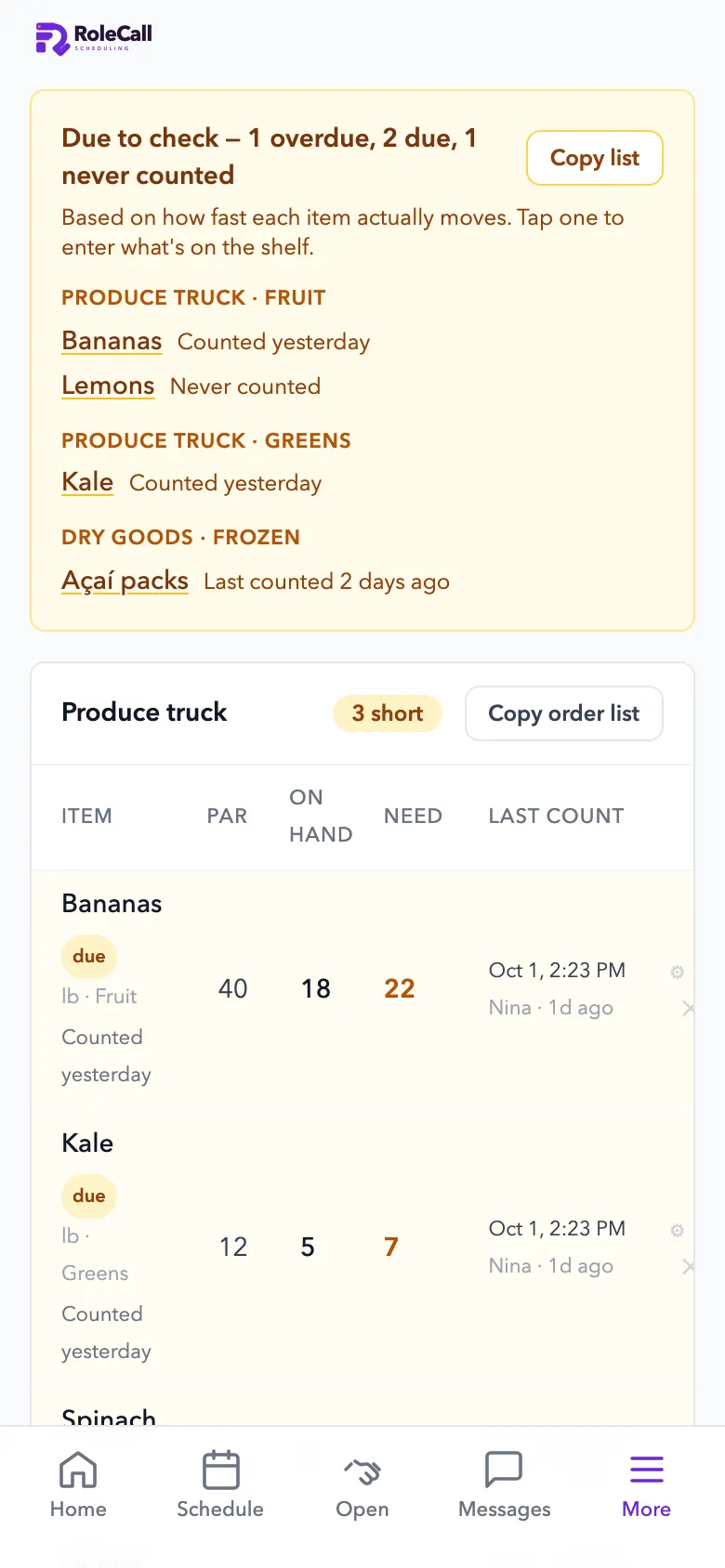
Stock counts that learn. No more “we're out of açaí.”
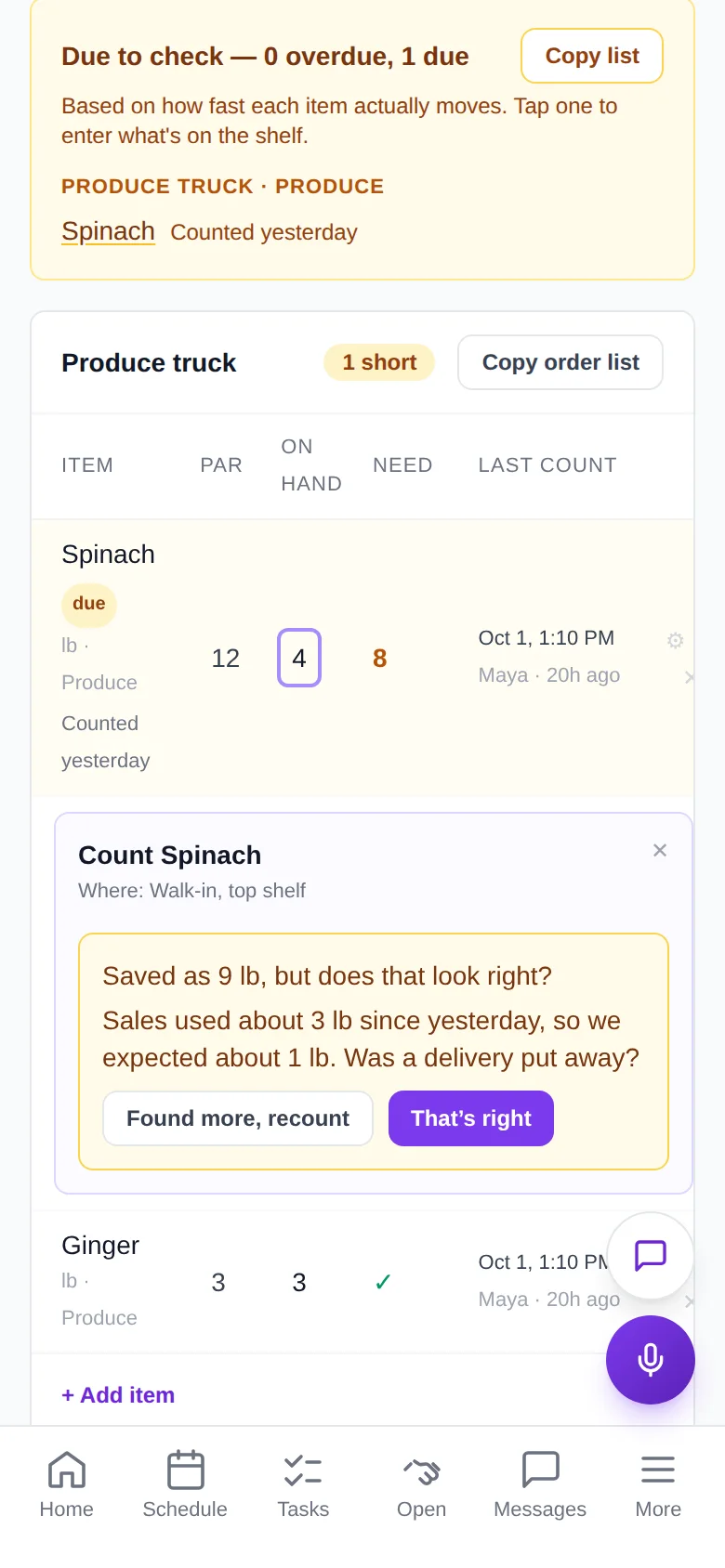
It learns how fast each item really goes, from your recipes and sales, your receipts and your counts. Then it says what to count and builds the order.
- What to count, and whenItems due to count, and a push when something runs low.
- Count by the case, bag or tubWith photos, so anyone counts it right. Prep counted separately.
- Order lists by supplierPar, on hand and what to order, ready to send.
- Food cost next to labor costRecipes from a photo or pasted text, costed against your sales.
- Carts at the cheapest storesEarly accessAn agent plans stores using the fees on your own receipts and fills the carts. You check out.
Run it with your voice · Available
Say it. RoleCall does it.
Owners run the business by voice. Staff get a simpler version that only touches their own work.
Staff get a smaller set. Every action runs with the speaker's own login and role, checked on the server: staff touch only their own timecard, and pay stays hidden.
- Things it can do
- 66From drafting the week to clocking in, each one limited to the speaker's role.
- Hands-free
- Web + iPhoneOpen mic, type, or tap to dictate. A call ends after 15 minutes, or 3 quiet minutes.
- Permissions
- On the serverEvery action runs with the speaker's own login, not just a prompt. On the Starter plan and up.
3.0 Kiosk, register and kitchen screenEarly access
Orders in. Tickets out. Within seconds.
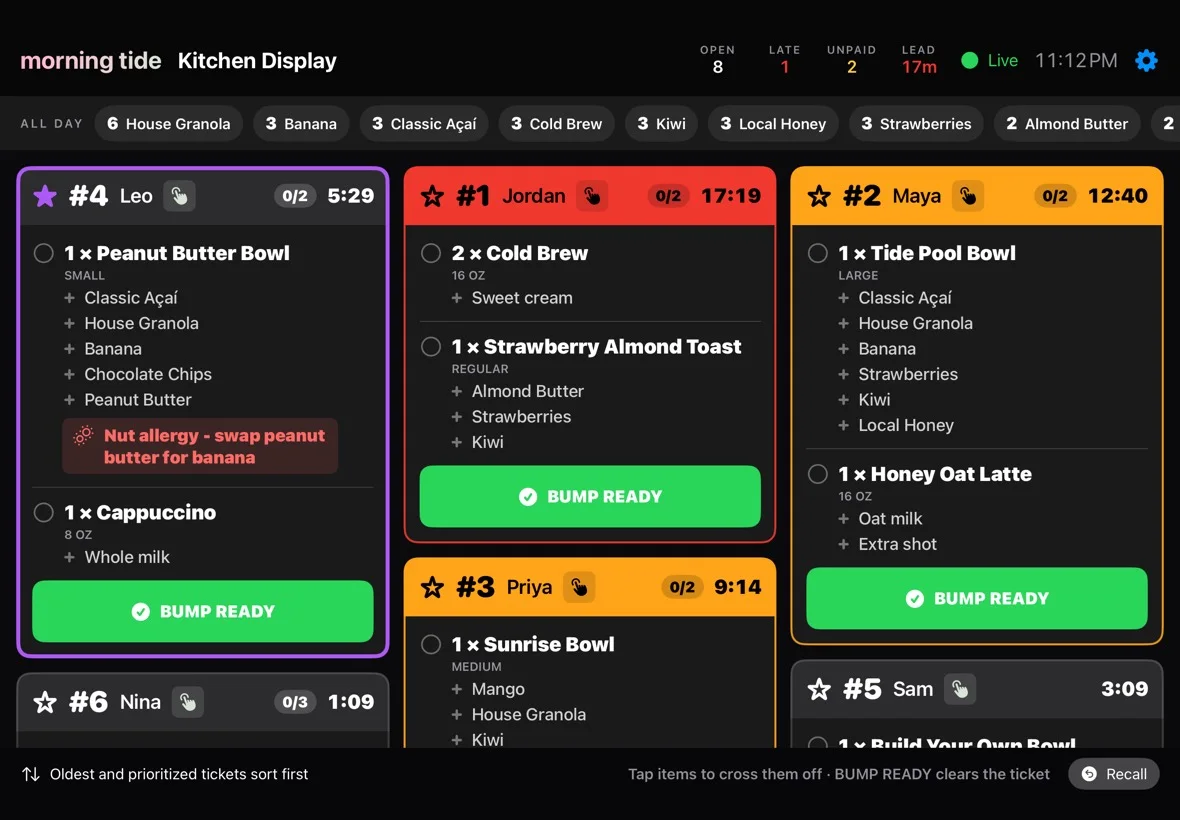
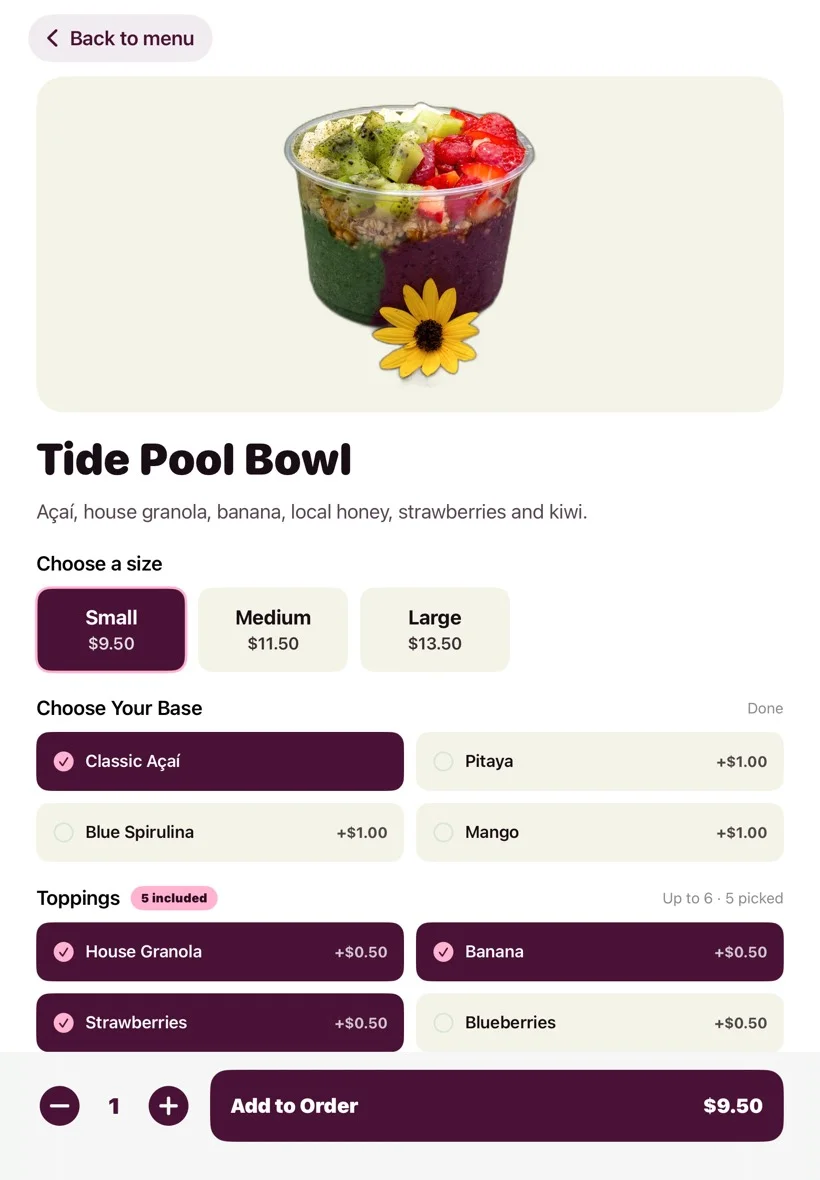
A self-order kiosk and a register on iPad, and every order on one kitchen screen. All on your Square menu, paid into your Square account.
- Self-order kioskSizes, choices and extras, by tapping or by talking, then tap, chip or phone to pay, or cash at the counter.
- RegisterCard and cash side by side, with change due worked out.
- One kitchen screenKiosk, register, Square POS, online and delivery orders, with timers and one-tap bump.
From $19 a location a month.Kiosk & register Kitchen screen
4.0 Ordering and your own appEarly access
Your own app. Your name on it.
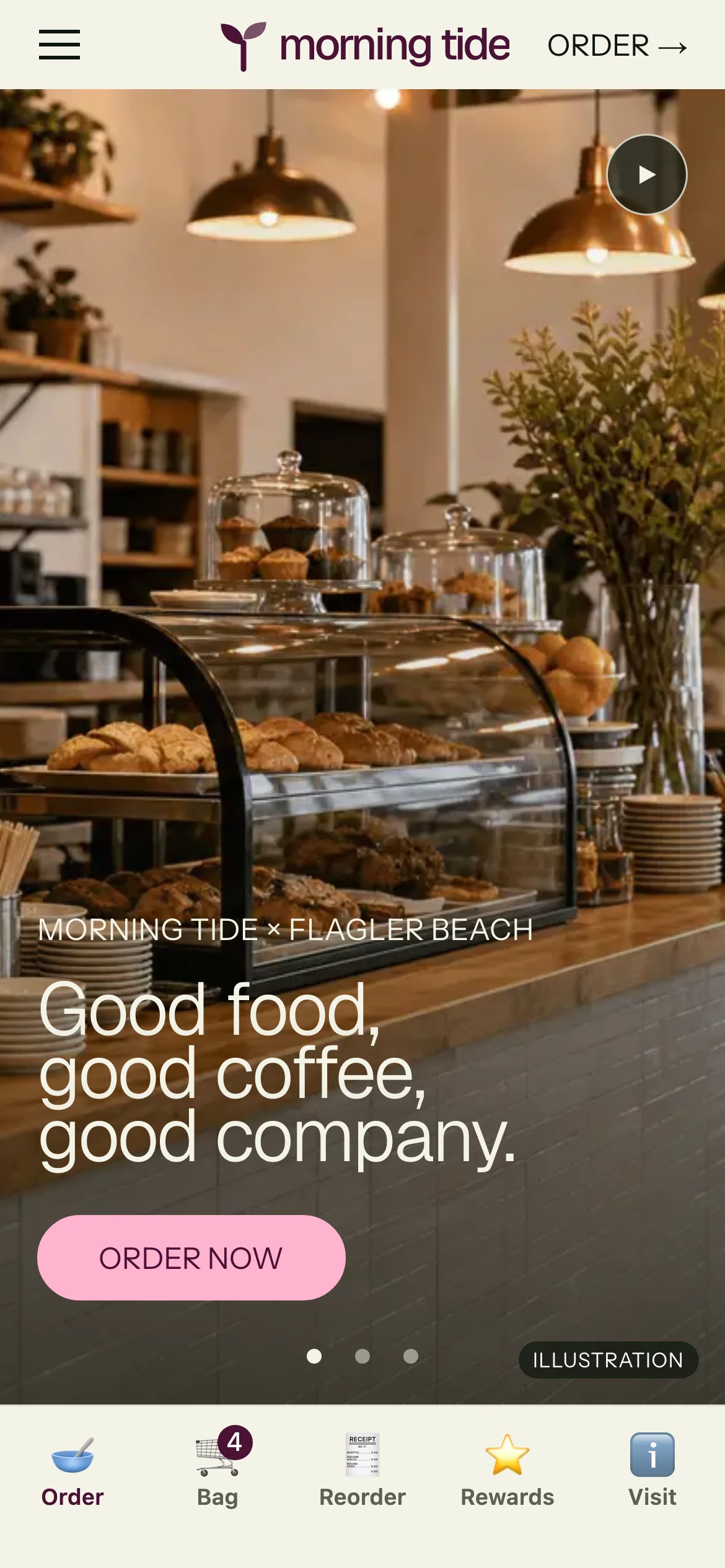
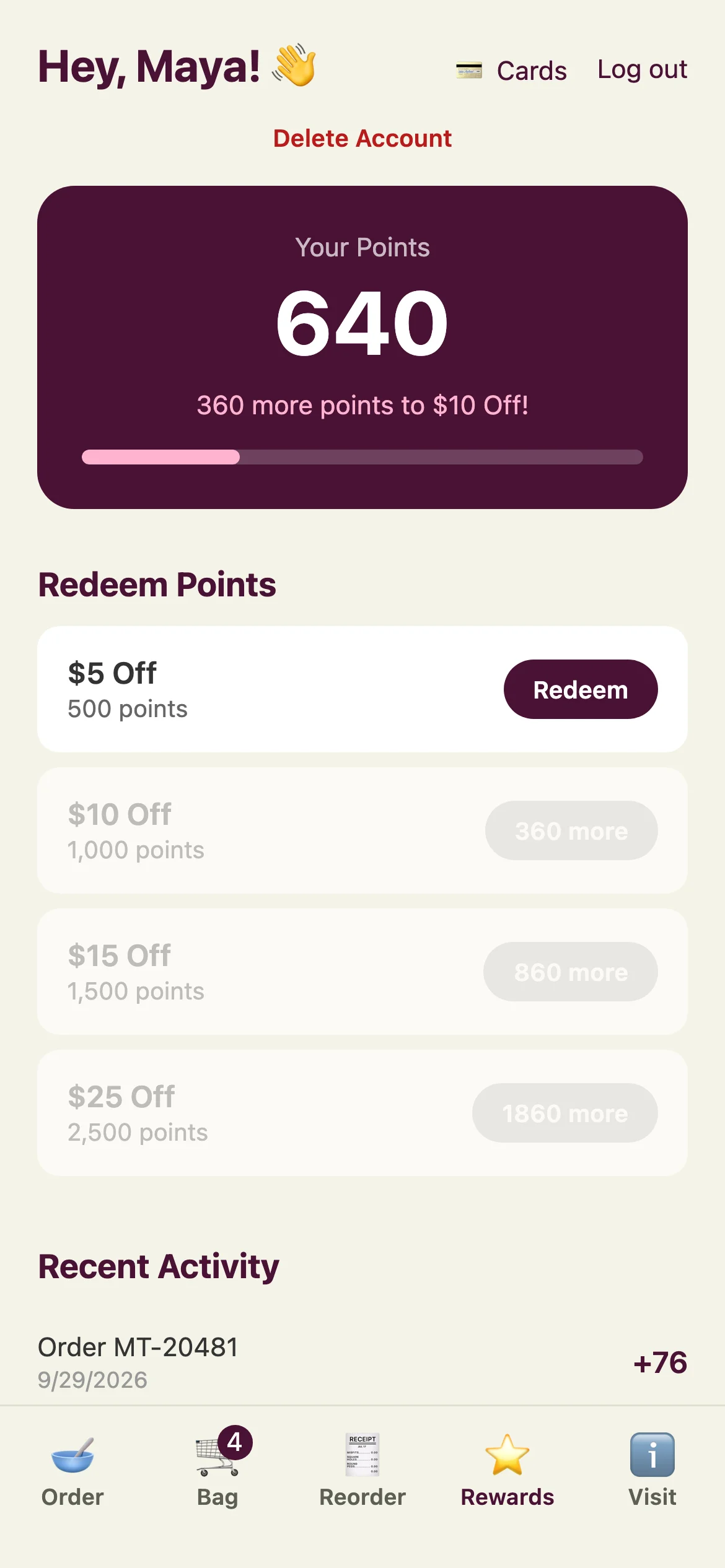
Online ordering on your website and an iPhone and Android app under your café's name, with rewards. Guests only ever see your brand.
- Ordering on your websiteYour menu, your photos, your prices, with scheduled pickup and promo codes.
- Your own appPublished under your business's name, with push notifications.
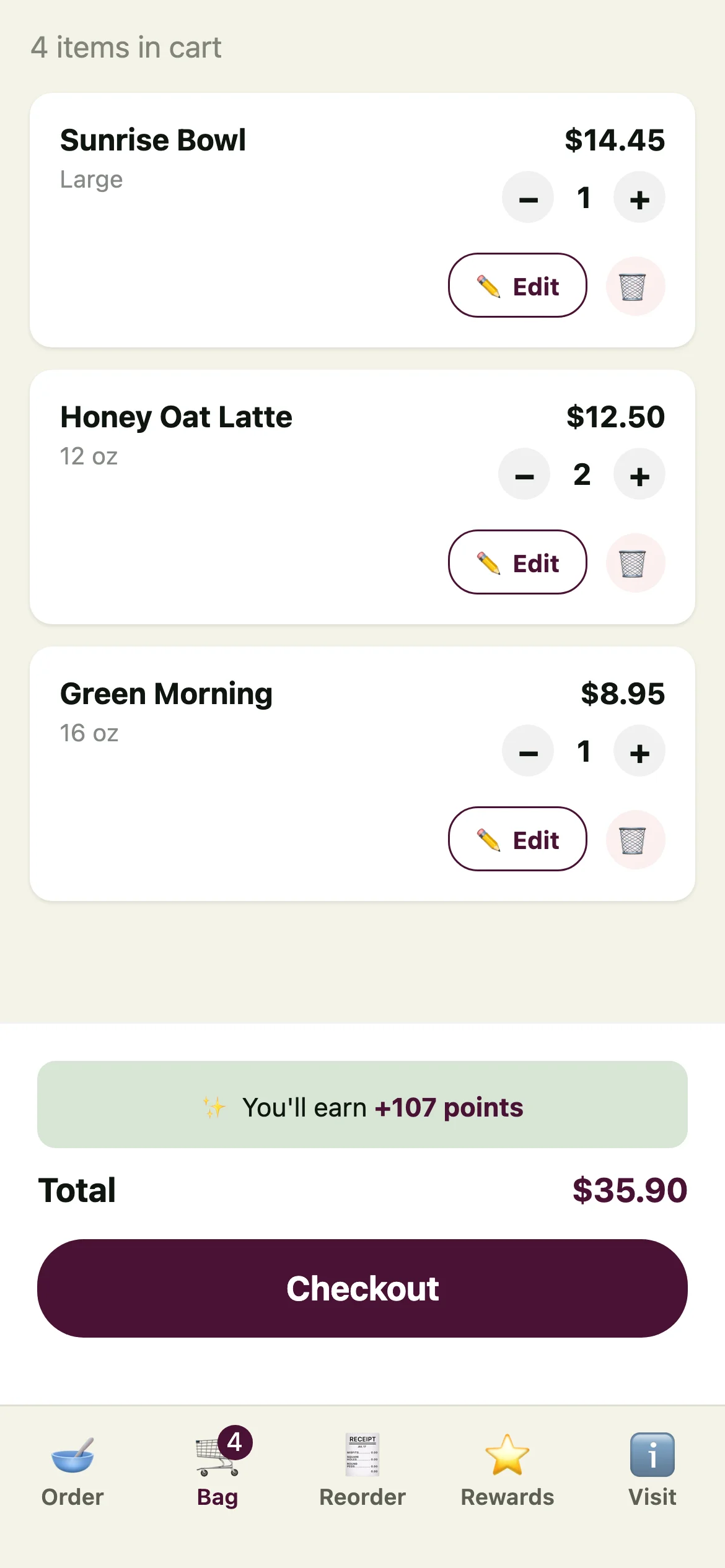
- Order by voice in the appA live voice call in the AI Help tab fills the cart. Guests tap checkout themselves.
- RewardsPoints on every app and website order.
- DeliveryThrough Uber Direct and DoorDash Drive, from your own site and app.
Order by voice Early access
Customers order by talking, at the kiosk or in your app.
- At the kiosk. A guest taps Order by voice and says it the way they would at the counter. Sizes, swaps and extras go into the order, and it reads the order back.
- In your app. A live voice call in the AI Help tab fills the cart the same way.
- Paying stays a tap. Guests pay on the card reader at the kiosk and tap checkout in the app. Voice never takes the payment.



5.0 Every shift
The rest of the shift, in RoleCall.
The parts your team uses every day, on their own phones.
- Opening and closing checklistsWho checked what, and when. “Can't complete” pings the manager.
- Training built by talkingTalk through the station once. New hires ask it how.
- A clock that checks locationClock in inside the fence. Hours go to Square every morning.
- An assistant that acts“We have 6 bags of spinach.” It records the count.
- Swaps, time off, messagesOut of the group chat, with a push to every phone.
- Hiring from one linkApplicants ranked against the shifts you need to fill.
6.0 Fewer apps
Fewer apps. Less juggling.
What cafés usually juggle, and where it lives here. Use the parts you need.
RoleCall: forecast schedules, swaps, time off and messages
AvailableInstead of a scheduling app and a group chat.
RoleCall: counts that learn, and order lists
AvailableInstead of a paper par sheet or a notes app.
RoleCall: recipes and food cost from your sales
AvailableInstead of a recipe costing spreadsheet.
Kiosk, register and kitchen screen on your Square menu
Early accessInstead of a separate kiosk and kitchen-screen vendor.
A website rebuilt from the one you have
AvailableInstead of a website builder.
Content studio: post ideas and captions from your own photos
AvailableInstead of a posting tool.
Every part, in detail
Go deeper.
- RoleCallEvery part of the team app: schedules, stock, the assistant, tasks, training and hiring.
- Kiosk & registerEarly accessSelf-order and checkout on iPad.
- Kitchen screenEarly accessEvery order on one screen.
- Content studioPosts from your own photos.
- Website & GoogleA website built from the one you have.
- PricingPer location, with a free plan for a small team.
Start with the schedule. Free for a small team.
Open RoleCall and build next week from your own sales. Ask us about the kiosk and kitchen screen when you're ready.